HvAI
FIELD CAPTURE & OPERATIONS
HvAI PLATFORM V3.48ALL SYSTEMS OPERATIONALBLE 2.4GHz ENGINE READY

HVAC Field Operations & Technical Support Center

Complete operational manuals, scientific thermodynamic formulas, and clear 9th-grader friendly guides with actual in-app screenshots for technicians, supervisors, and dispatchers.

SYSTEM DYNAMICS

The Refrigeration Cycle & Mobile-to-Cloud Telemetry Flow

Visualizing how refrigerant physics connects to Bluetooth Low Energy probes, the mobile app, and office dispatch.

Stage 1: Compressor
Vapor Compression
Low Pressure Vapor → High Pressure Superheated Gas
P_discharge ≈ 375 psig | T_discharge ≈ 185°F
⚡ Adds Enthalpy of Compression
Stage 2: Condenser
Latent Heat Rejection
Hot Gas → Saturated Liquid (Rejects Heat to Outdoor Air)
High-Side Clamp: SC = T_sat - T_liquid ≈ 11.4°F
🔴 Liquid Line Probe Clamped Here
Stage 3: Metering (TXV)
Isenthalpic Expansion
High Pressure Liquid → Low Pressure Liquid/Vapor Mix
Pressure Drop: 375 psig → 118 psig
❄️ Rapid Adiabatic Flash Gas
Stage 4: Evaporator
Latent Heat Absorption
Cold Liquid Absorbs Indoor Heat → Boils to Vapor
Low-Side Clamp: SH = T_suction - T_sat ≈ 13.2°F
🔵 Suction Line Probe Clamped Here
BLE 2.4 GHz GATT Broadcast Stream
Packets transmit every 1.0s • UUID: 0xFFE0 • Signal RSSI: -54 dBm
HvAI Mobile App (Roof Tech)
Local SQLite buffer • Offline-first • Sun Mode UI
Cloudflare Office Portal (Dispatch)
login.hvai.tech • Live Ops WebSocket • PDF Report Vault
HVAC MASTER DIAGNOSTIC ENGINE

Fault Isolation & Diagnostic Matrix

Rule out common field misdiagnoses before adding refrigerant or condemning expensive compressors.

MODE: ENGINEERING PT MATRIX
LOW AIRFLOWFAULT 01
Restricted Return / Dirty Evaporator
• Suction Pressure (Ps): Depressed (< 100 psig)
• Superheat (SH): Low (< 8°F)
• Subcooling (SC): Normal to Low
• Air Temp Split (ΔT): High (> 22°F)
UNDERCHARGEDFAULT 02
Refrigerant Loss / Insufficient Mass
• Suction Pressure (Ps): Low (< 100 psig)
• Superheat (SH): Elevated (> 20°F)
• Subcooling (SC): Severely Low (< 3°F)
• Air Temp Split (ΔT): Low (< 14°F)
LIQUID RESTRICTIONFAULT 03
Clogged Filter-Drier / Kinked Liquid Line
• Suction Pressure (Ps): Low (< 90 psig)
• Superheat (SH): High (> 22°F)
• Subcooling (SC): Elevated (> 18°F)
• Drier Temp Drop: ΔT > 2.0°F across shell
TXV UNDERFEEDINGFAULT 04
Lost Bulb Charge / Stuck Closed Valve
• Suction Pressure (Ps): Very Low (< 85 psig)
• Superheat (SH): Excessive (> 25°F)
• Subcooling (SC): Normal to High (> 12°F)
• Inspection: Check sensing bulb strap & insulation
TXV OVERFEEDINGFAULT 05
Stuck Open Valve / Liquid Floodback Risk
• Suction Pressure (Ps): High (> 140 psig)
• Superheat (SH): Critically Low (< 4°F)
• Subcooling (SC): Low (< 6°F)
• Danger: Liquid wash-back washing oil out of crankcase
NON-CONDENSIBLESFAULT 06
Air / Moisture Contamination in Circuit
• Discharge Pressure: Extremely High (> 450 psig)
• Subcooling (SC): Normal to High
• Saturation Temp: > 35°F above ambient dry-bulb
• Gauge Behavior: Rapid needle flutter / transducer noise

Step-by-Step Operations Manual (9 Flow Guides)

Select any flow to view authentic screenshots, precise procedures, and instant technical/apprentice dual views.

Flow 01: Fleet AccessFLOW #1

How to Sign Up & Onboard Field Technicians

Secure multi-tenant authentication protocol utilizing cryptographic token exchange, enterprise workspace binding, and role-based access control (RBAC).
Verified In-App Screenshots & UI Evidence
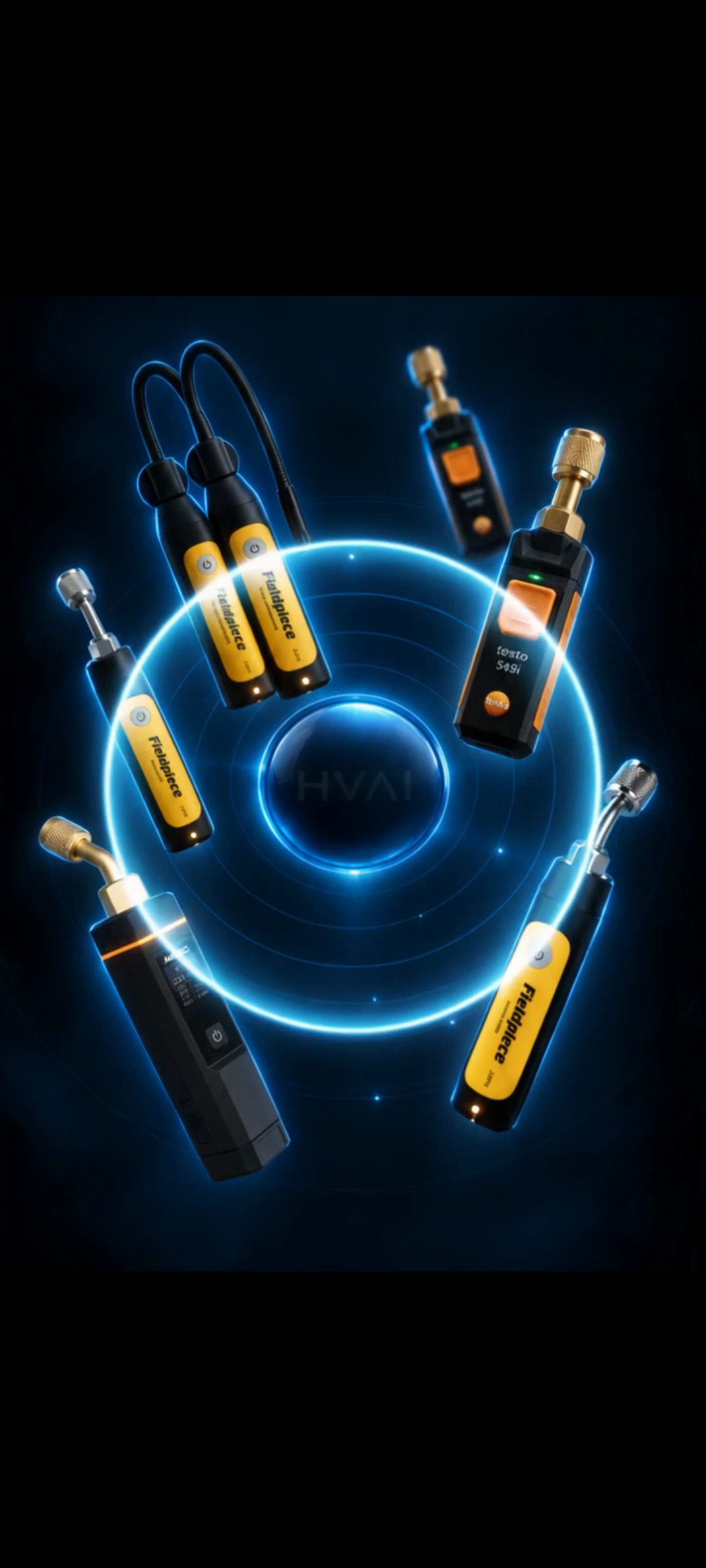
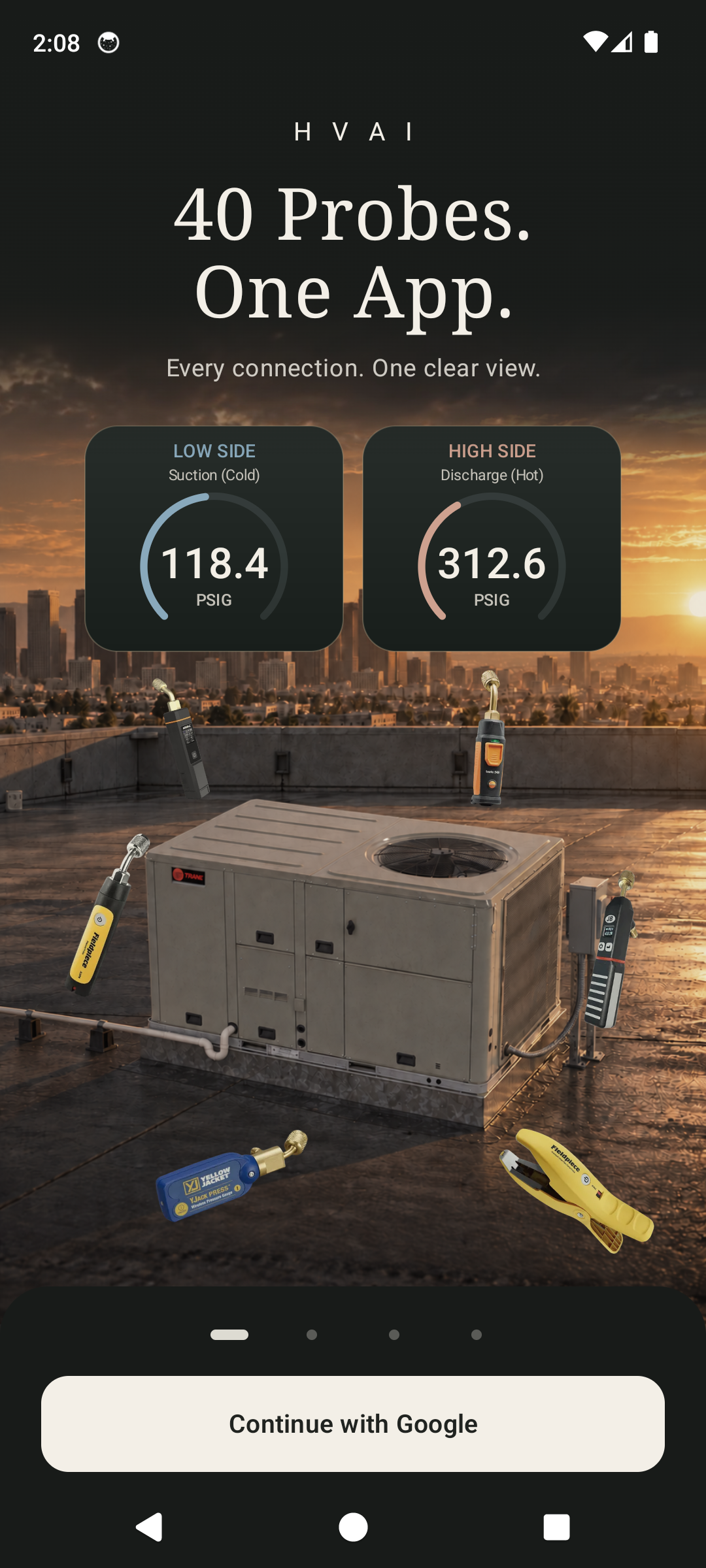
Scene 1: 40 Probes. One App. (Universal BLE Transducer Neutrality)
Click to Zoom
Scene 1: 40 Probes. One App. (Universal BLE Transducer Neutrality)IN-APP
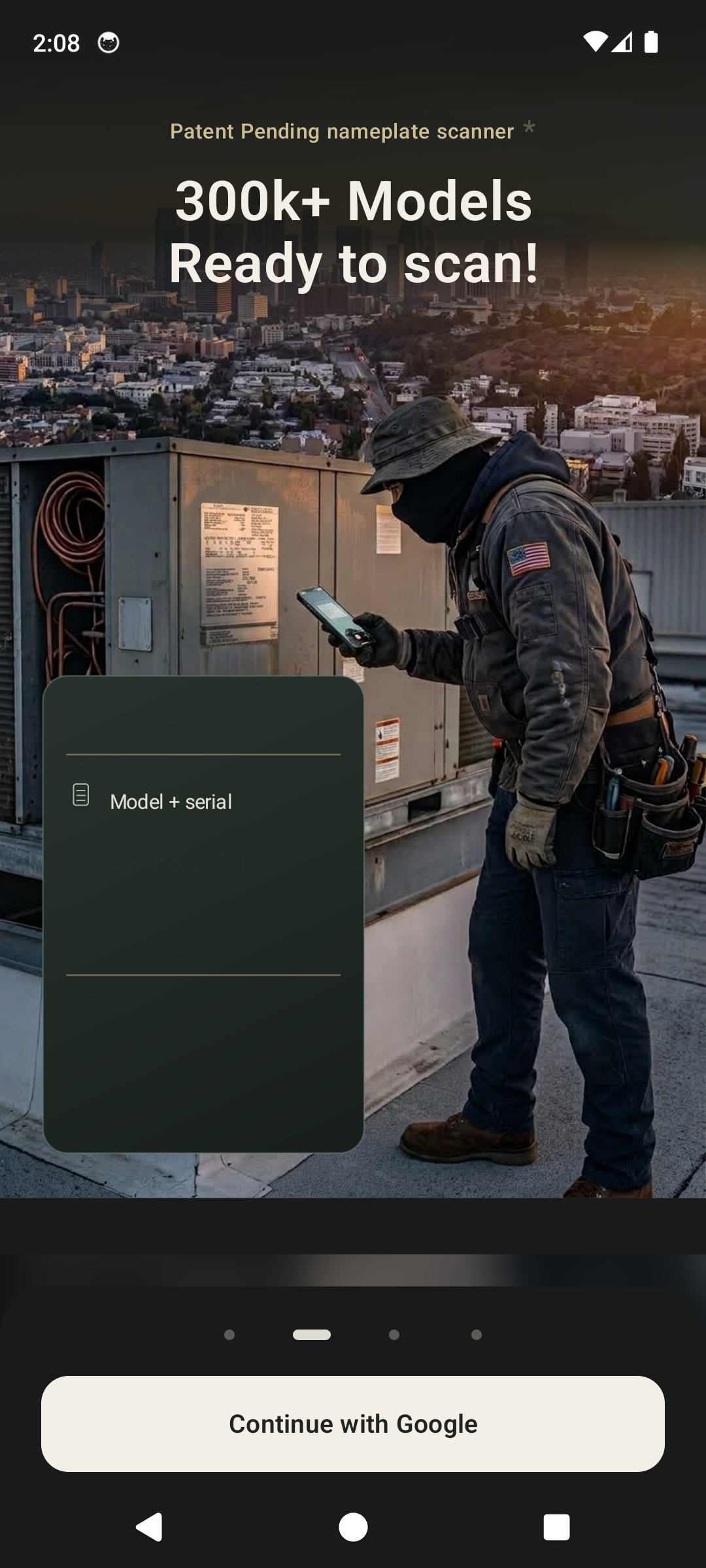
Scene 2: 300k+ Models. Scan. Know. (Autonomous Optical Specs Recovery)
Click to Zoom
Scene 2: 300k+ Models. Scan. Know. (Autonomous Optical Specs Recovery)IN-APP
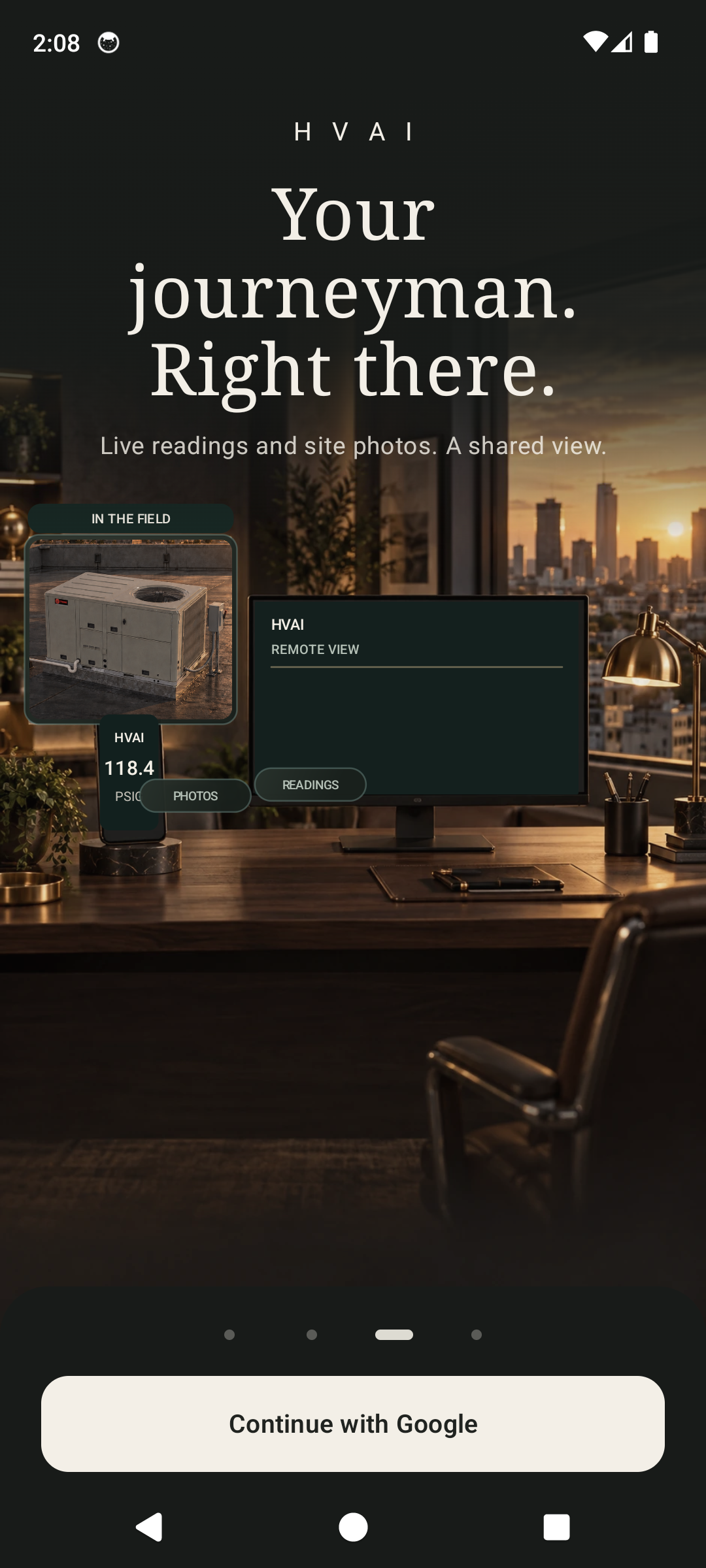
Scene 3: Your Journeyman. Right There. (Encrypted VoIP Field Escalation)
Click to Zoom
Scene 3: Your Journeyman. Right There. (Encrypted VoIP Field Escalation)IN-APP
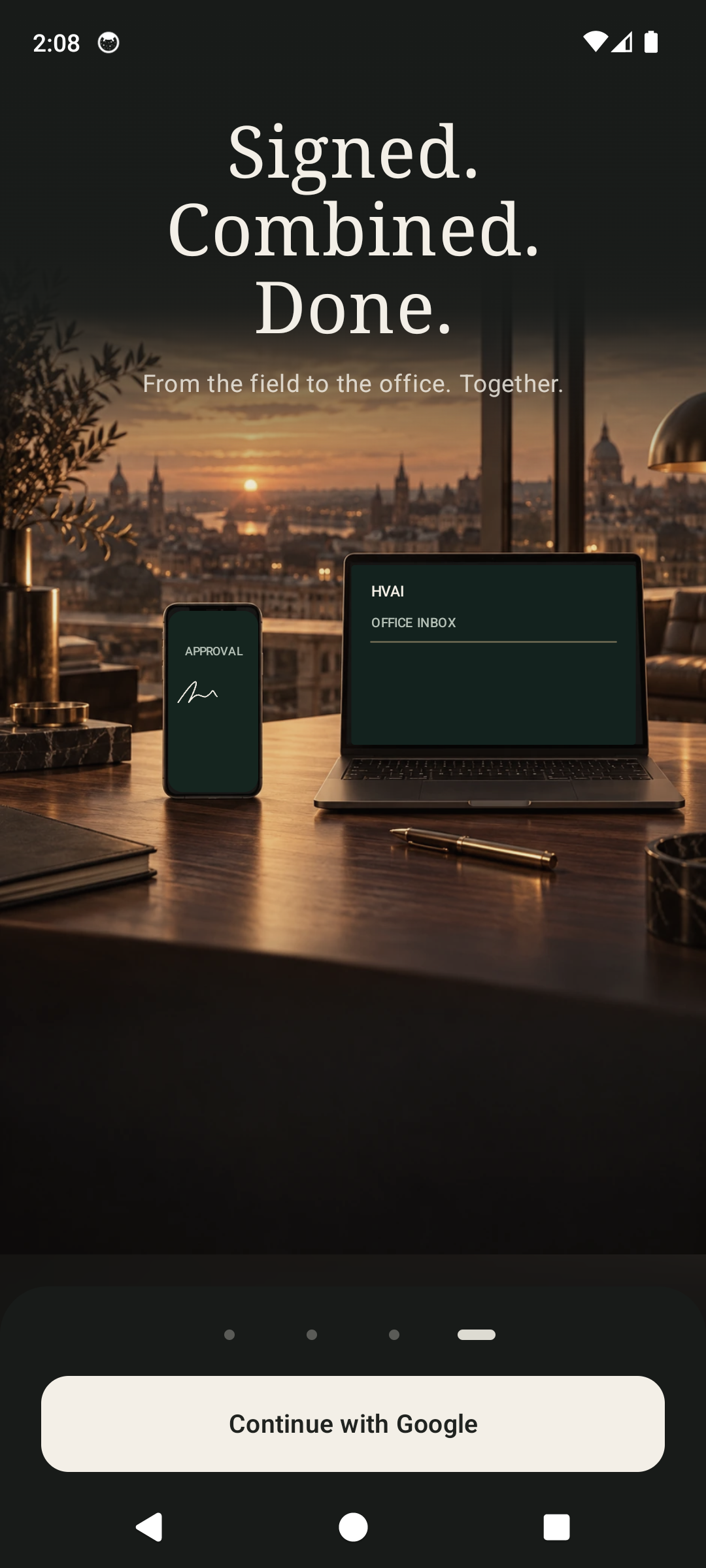
Scene 4: Signed. Combined. Done. (Certified Instant PDF/A Closeouts)
Click to Zoom
Scene 4: Signed. Combined. Done. (Certified Instant PDF/A Closeouts)IN-APP
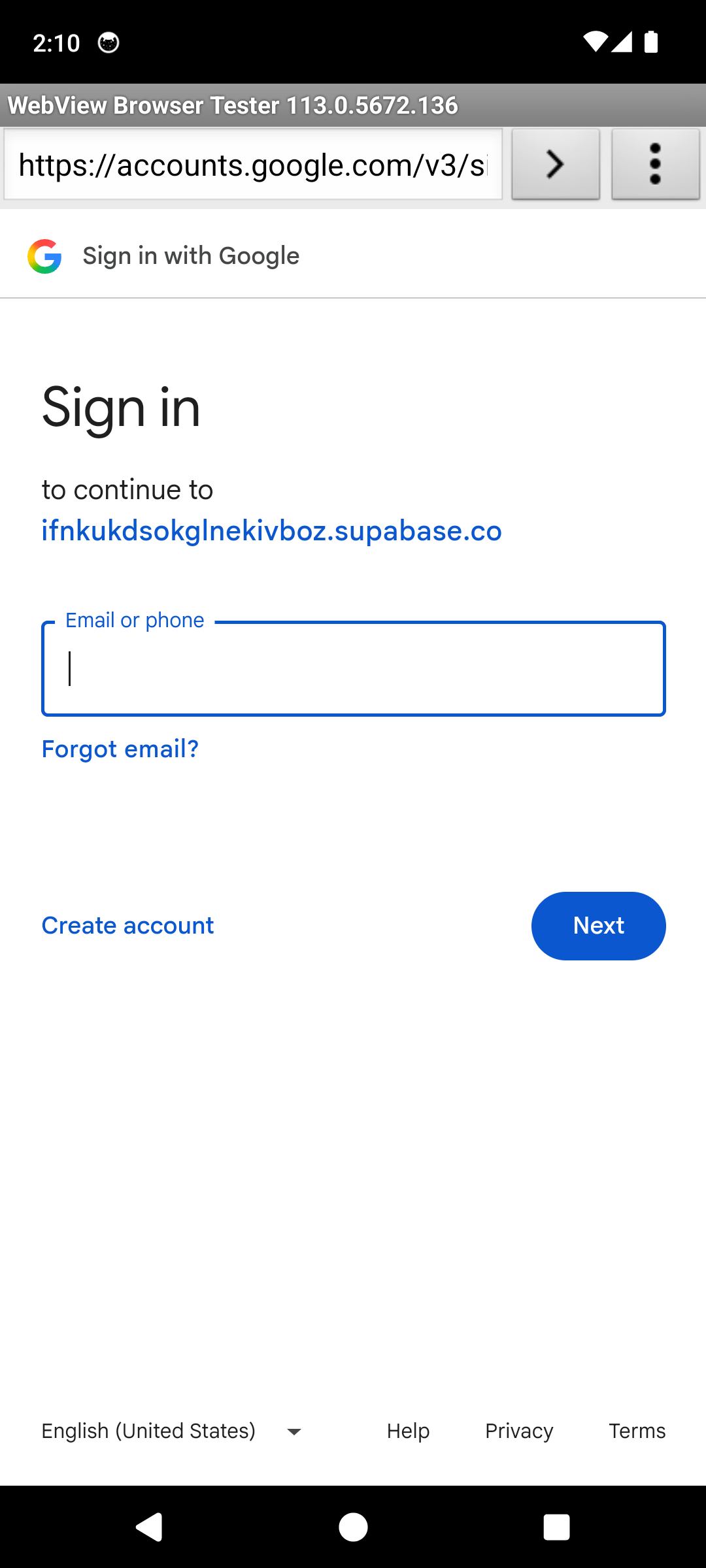
Live Google OAuth Authentication Gateway
Click to Zoom
Live Google OAuth Authentication GatewayIN-APP
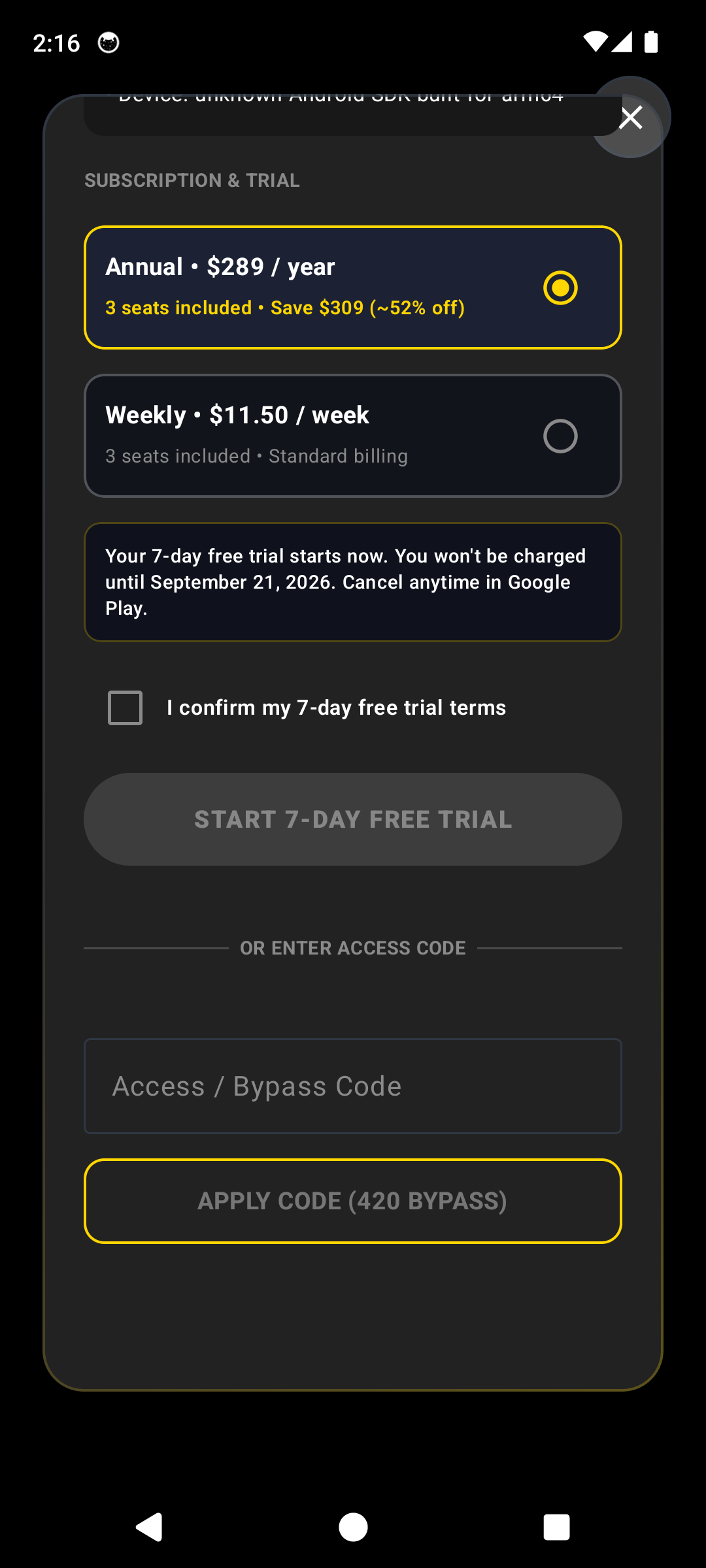
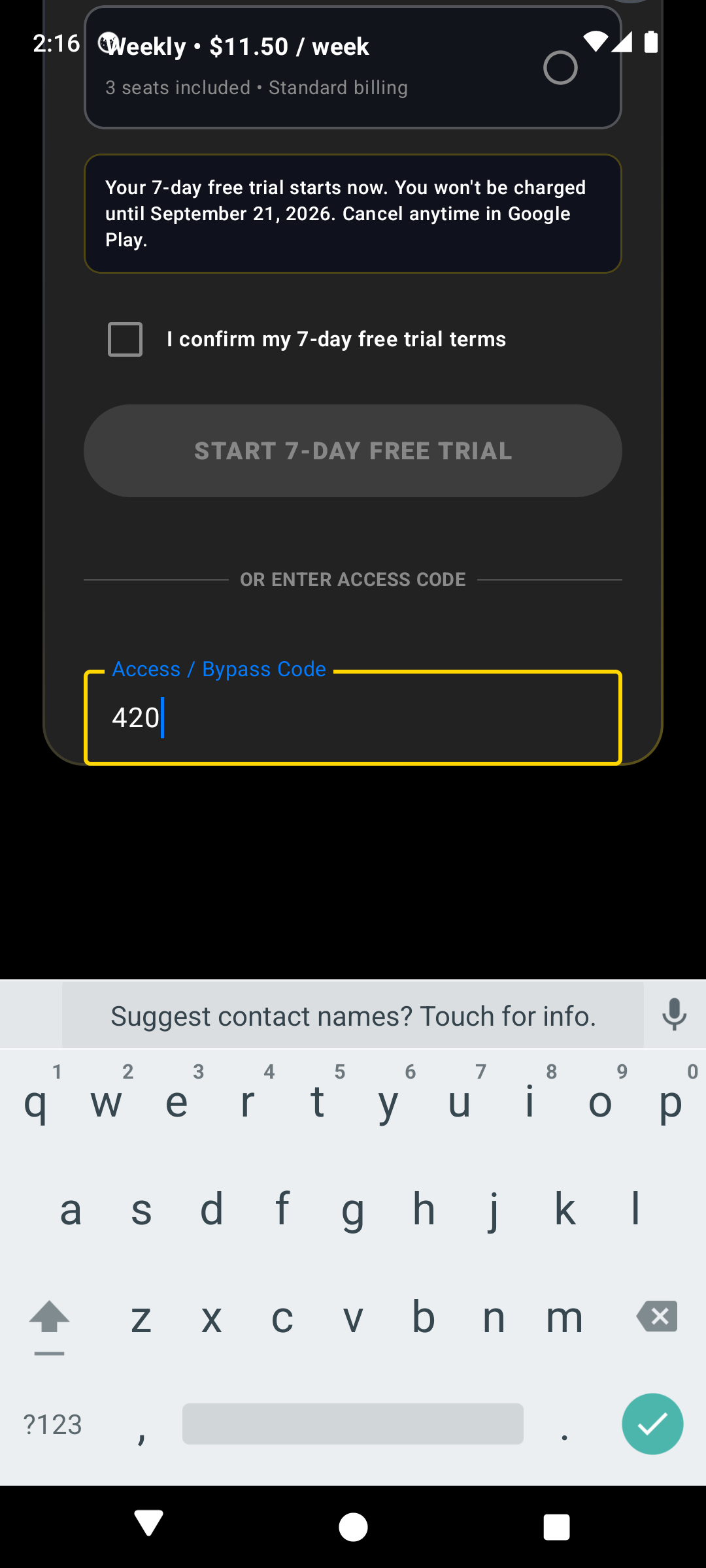
Passcode 420 Access Bypass Card on Obsidian Glass
Click to Zoom
Passcode 420 Access Bypass Card on Obsidian GlassIN-APP
Passcode 420 Verified & Unlocked Production Cockpit
Click to Zoom
Passcode 420 Verified & Unlocked Production CockpitIN-APP
Core Thermodynamic & Engineering Principle

Cryptographic session generation using SHA-256 state nonces, mutual TLS 1.3 socket negotiation with Cloudflare Workers, and secure local SQLite keystore isolation.

Operational Procedure
1Launch & Ambient Inset Calibration

Launch HvAI. The native runtime queries system display metrics and applies dynamic window inset padding for field visibility across 360dp to 1080dp viewports.

PRO-TIPSwipe left on the carousel to see live probe preview graphics before logging in.
2Identity Verification & Google OAuth / Magic Passcode

Authenticate via Google Identity Services or enter your technician corporate email to receive a high-entropy 6-digit verification nonce.

3Organization Binding via Invite Token

Input the authoritative 8-character enterprise company token. The client verifies tenant membership against the Supabase tenant directory.

PRO-TIPWorking offline on a new construction site? Tap "Join Local Preview" to start diagnosing immediately without cell signal!
4Hardware Sensor & Telemetry Permission Grant

Authorize runtime permissions: BLUETOOTH_SCAN, BLUETOOTH_CONNECT, and ACCESS_FINE_LOCATION (essential for BLE beacon distance calculation and WGS-84 job site locks).

Flow 02: Site EvidenceFLOW #2

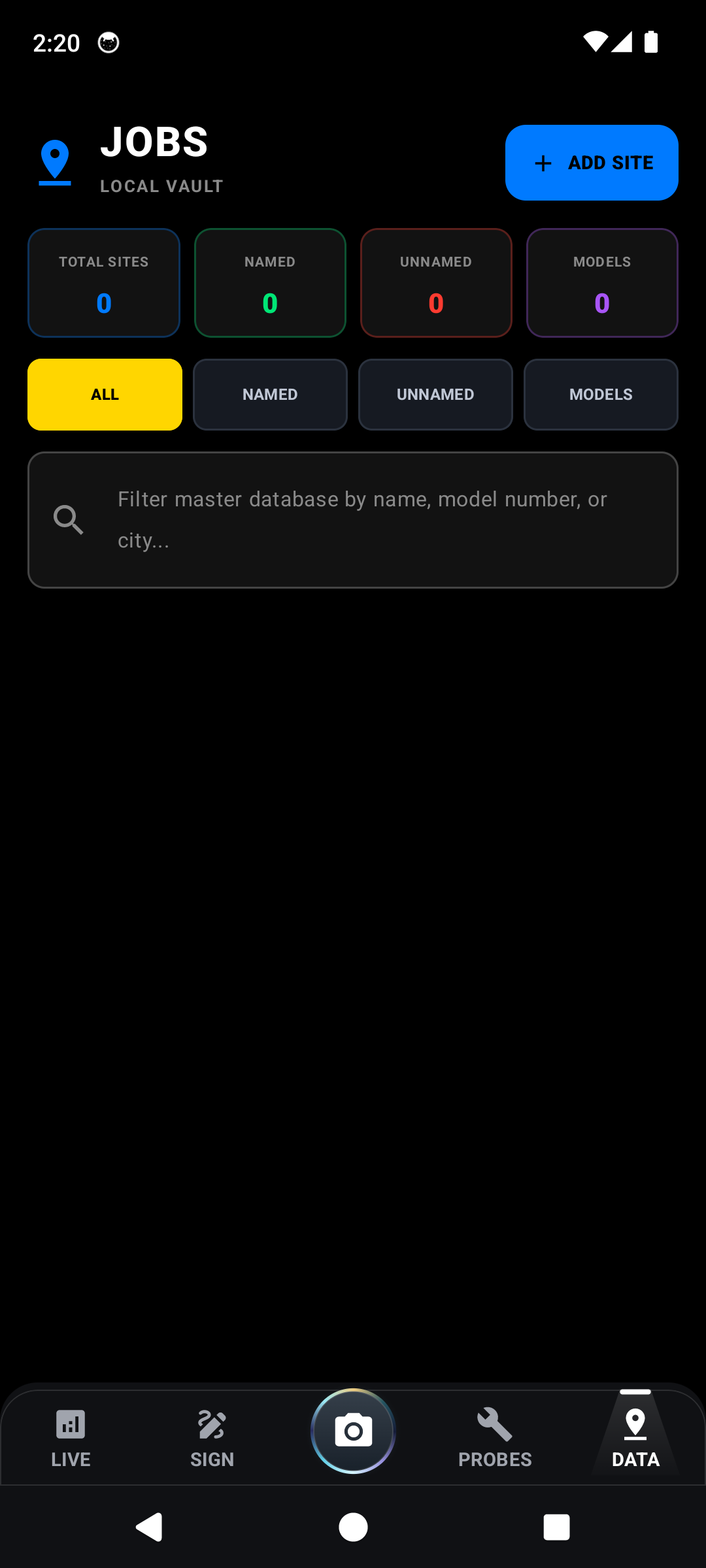
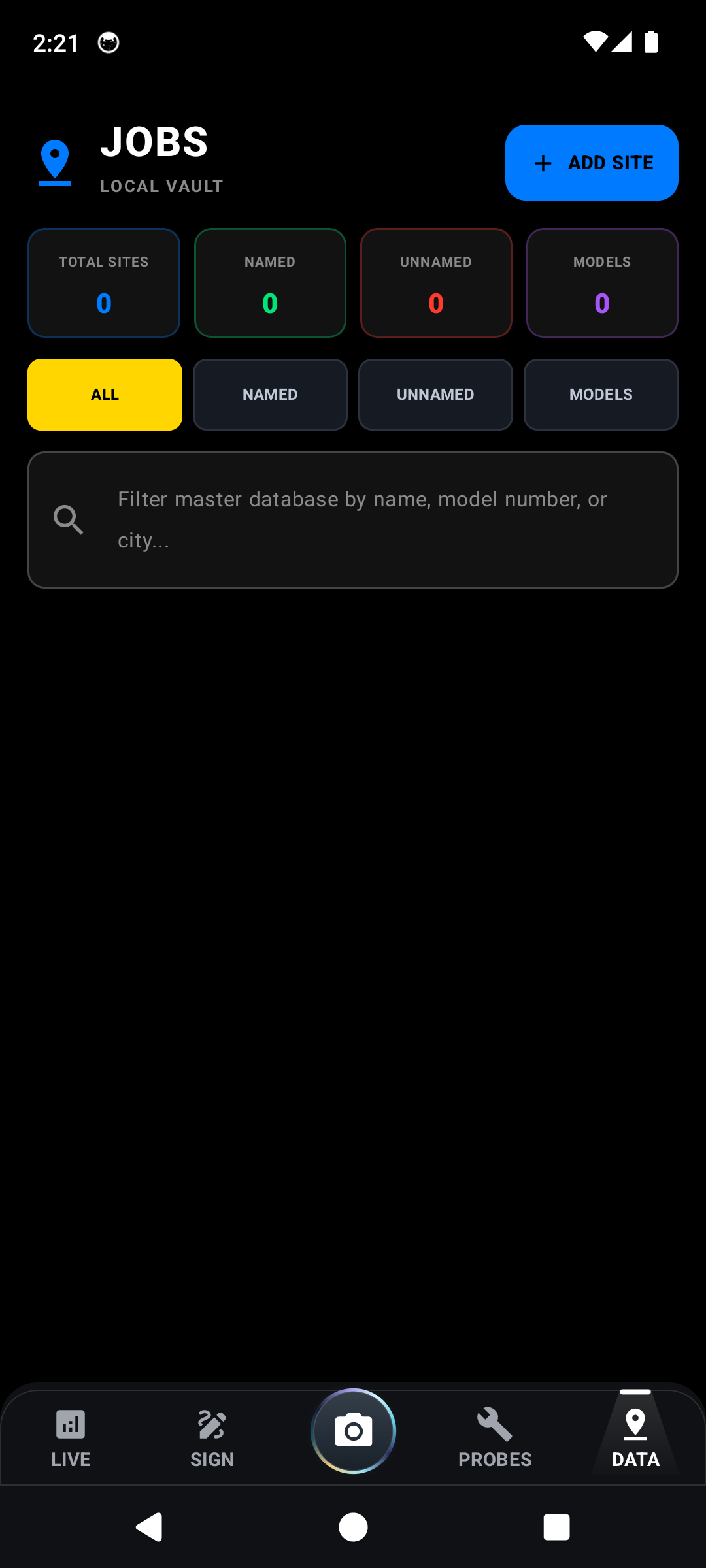
How to Capture Job Site Pictures & Context

Optical documentation protocol enforcing geodetic spatial verification, contextual macro/micro asset framing, and EXIF coordinate tagging for dispute-free audit trails.
Verified In-App Screenshots & UI Evidence
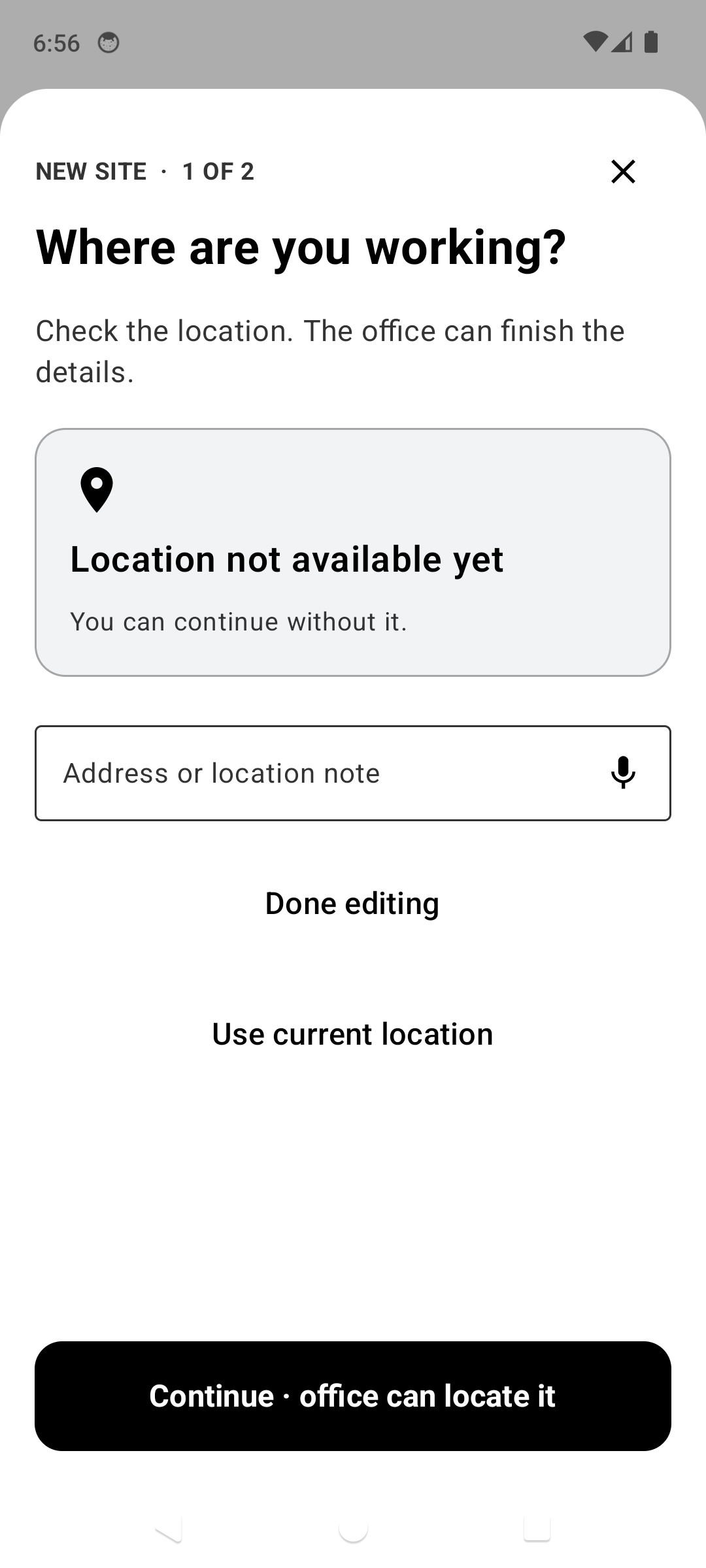
Step 1: Geofenced Sites Directory & Commercial Facility Hub
Click to Zoom
Step 1: Geofenced Sites Directory & Commercial Facility HubIN-APP
Step 2: Commercial Plant vs Residential Rooftop Inventory
Click to Zoom
Step 2: Commercial Plant vs Residential Rooftop InventoryIN-APP
Step 3: GPS Geodetic Standoff & Satellite Position Lock
Click to Zoom
Step 3: GPS Geodetic Standoff & Satellite Position LockIN-APP
Step 4: Rooftop Equipment Fleet Roster (RTU-01 through RTU-10)
Click to Zoom
Step 4: Rooftop Equipment Fleet Roster (RTU-01 through RTU-10)IN-APP
Step 5: Saved Unit Context Card with Bound Visual Evidence
Click to Zoom
Step 5: Saved Unit Context Card with Bound Visual EvidenceIN-APP
Core Thermodynamic & Engineering Principle

Geospatial WGS-84 spherical projection calculating GPS horizontal dilution of precision (HDOP < 2.5), embedding ISO 12232 optical metadata with tamper-evident SHA checksums.

Operational Procedure
1Geofence Association & Site Selection

Open "Sites" in the bottom drawer. The integrated geolocation subsystem computes Euclidean proximity to existing client facilities and highlights the nearest site.

2Wide-Angle Contextual Unit Orientation

Capture a wide contextual perspective (3 to 5 meters standoff) illustrating rooftop position, adjacent RTUs, line-set routing, and proximity to building parapets.

PRO-TIPEnsure the disconnect switch and rooftop service access door are visible in the wide shot.
3Macro Photographic Evidence: Coils, Wiring, & Components

Document condenser coil fin integrity, microchannel oxidation, electrical contactor pitting, dual-run capacitor terminals, and compressor vibration grommets.

4Voice Finding Annotation & Photo Binding

Tap the microphone icon to transcribe diagnostic audio findings directly into the photo metadata container without removing your insulated work gloves.

Flow 03: Optical ParsingFLOW #3

How to Scan HVAC Nameplates (OCR Engine)

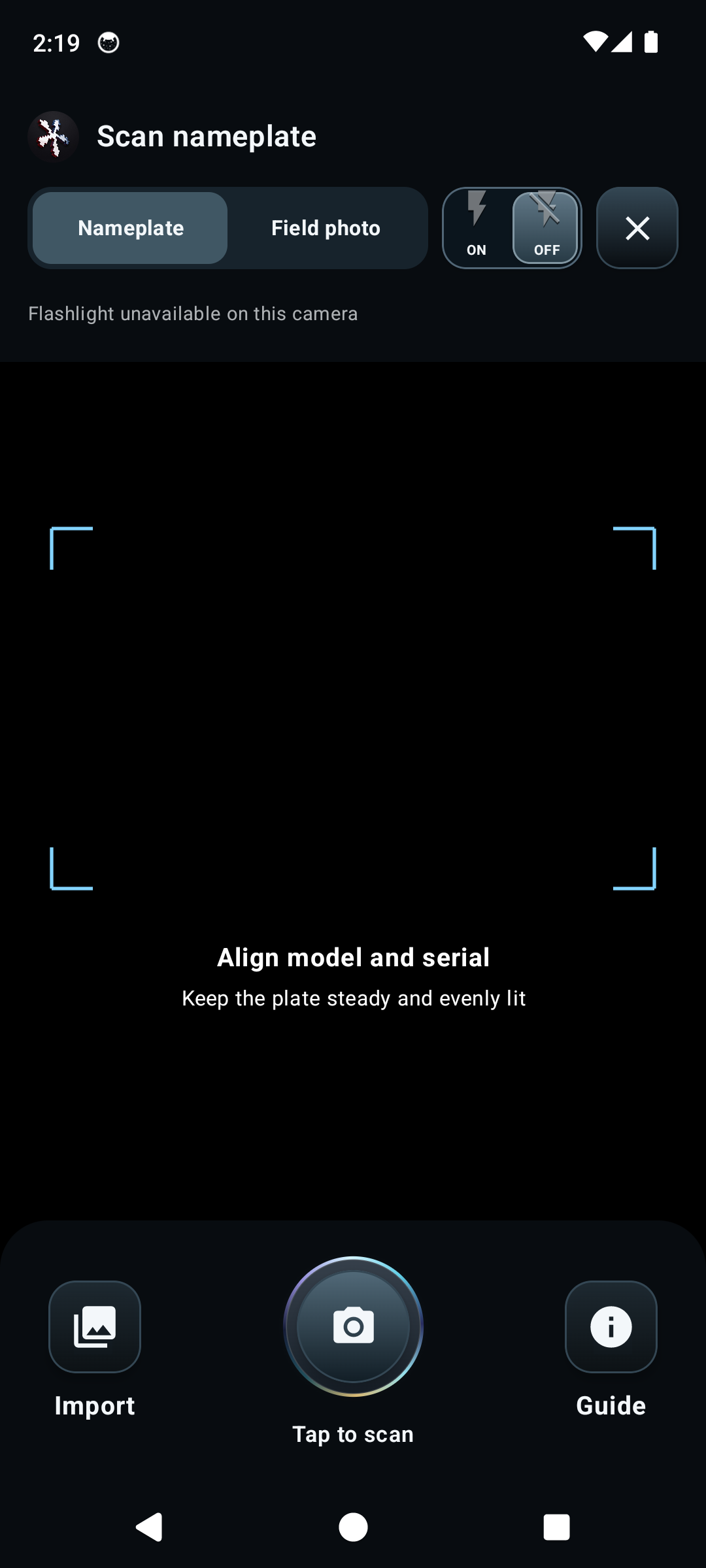
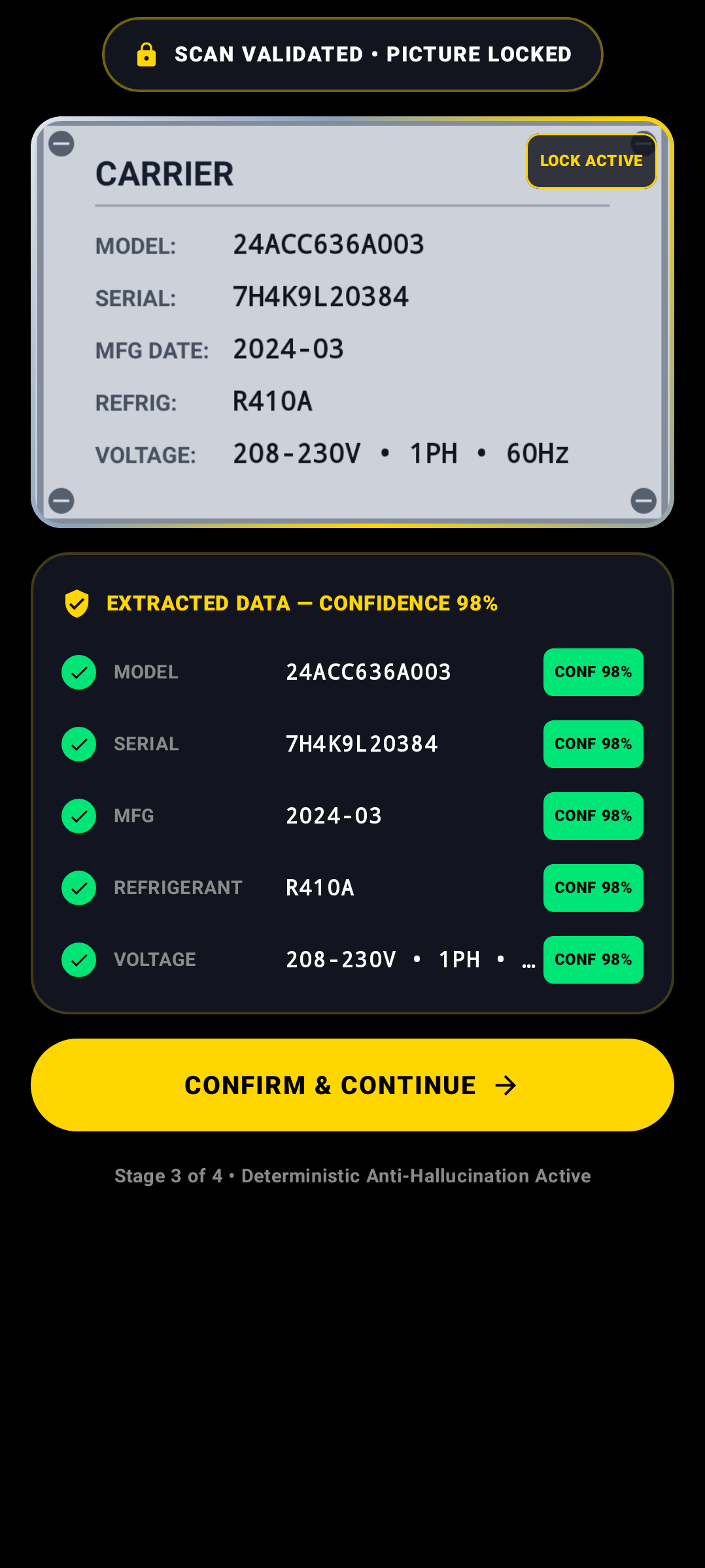
Real-time neural optical character recognition (OCR) engine extracting model numbers, serial numbers, electrical specifications (MCA, MOPD, RLA), and factory refrigerant charge.
Verified In-App Screenshots & UI Evidence
Step 1: Edge Neural OCR Viewfinder with Adaptive High-Contrast Bounding Box
Click to Zoom
Step 1: Edge Neural OCR Viewfinder with Adaptive High-Contrast Bounding BoxIN-APP
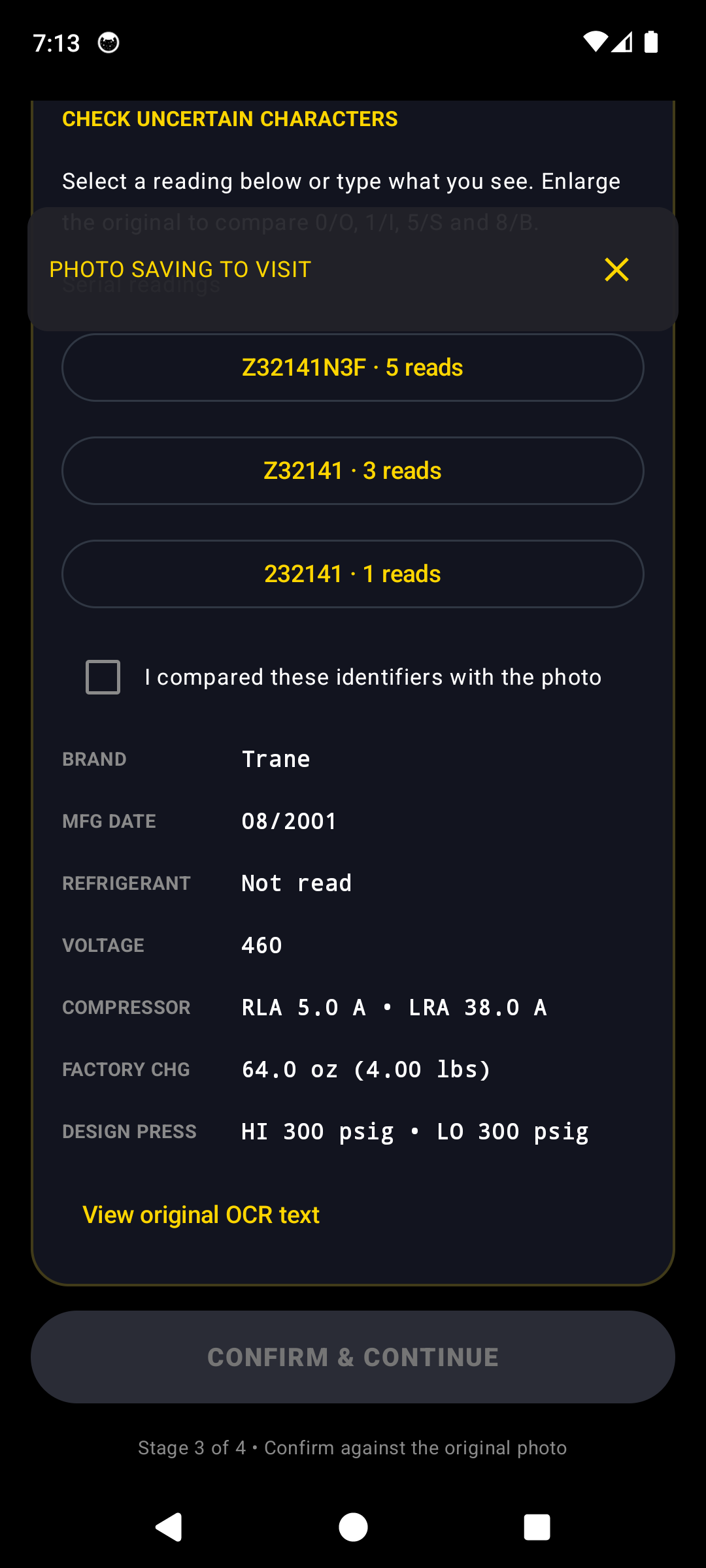
Step 2: Stage 3 Multi-Token Extraction (Model, Serial, Electrical & Charge)
Click to Zoom
Step 2: Stage 3 Multi-Token Extraction (Model, Serial, Electrical & Charge)IN-APP
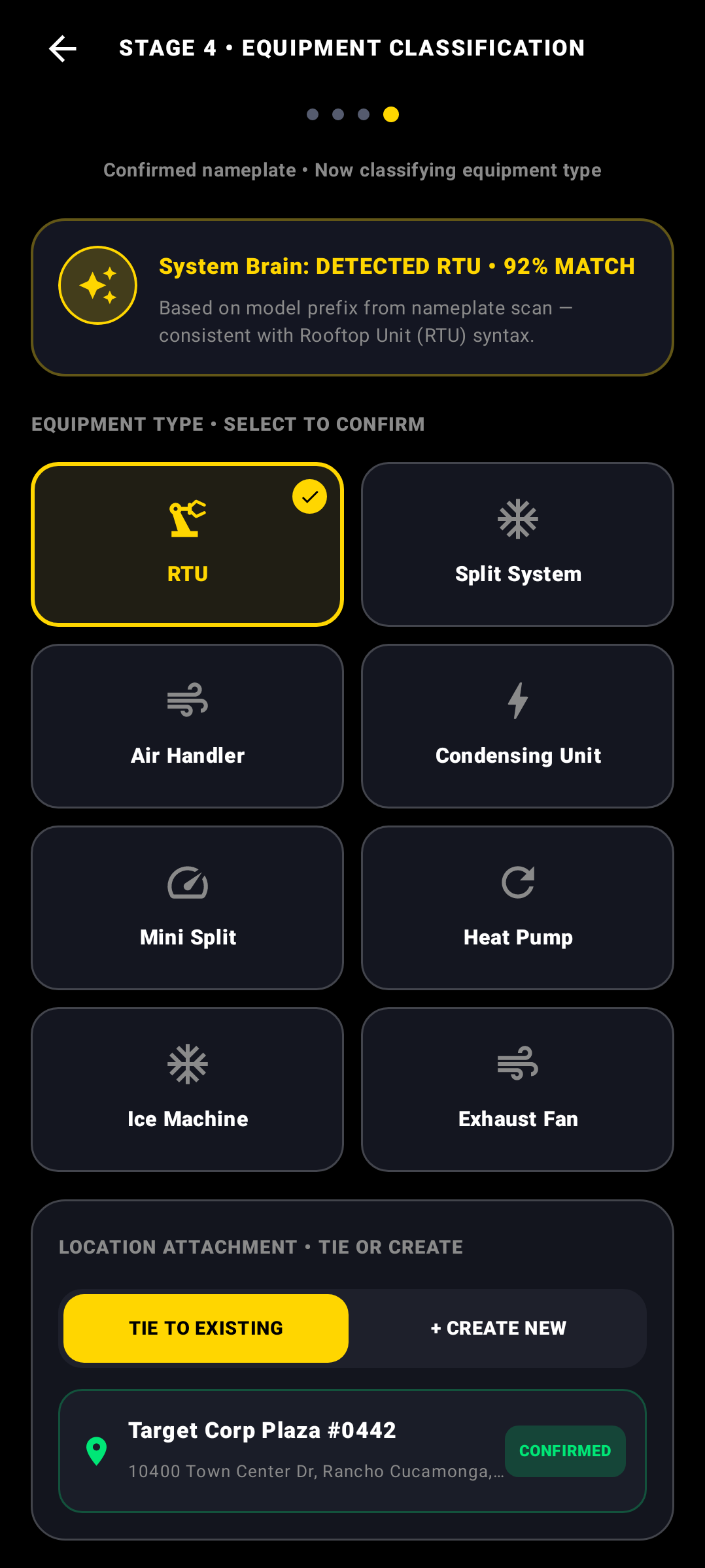
Step 3: Stage 4 LLM Equipment Classification & AHRI Specification Matching
Click to Zoom
Step 3: Stage 4 LLM Equipment Classification & AHRI Specification MatchingIN-APP
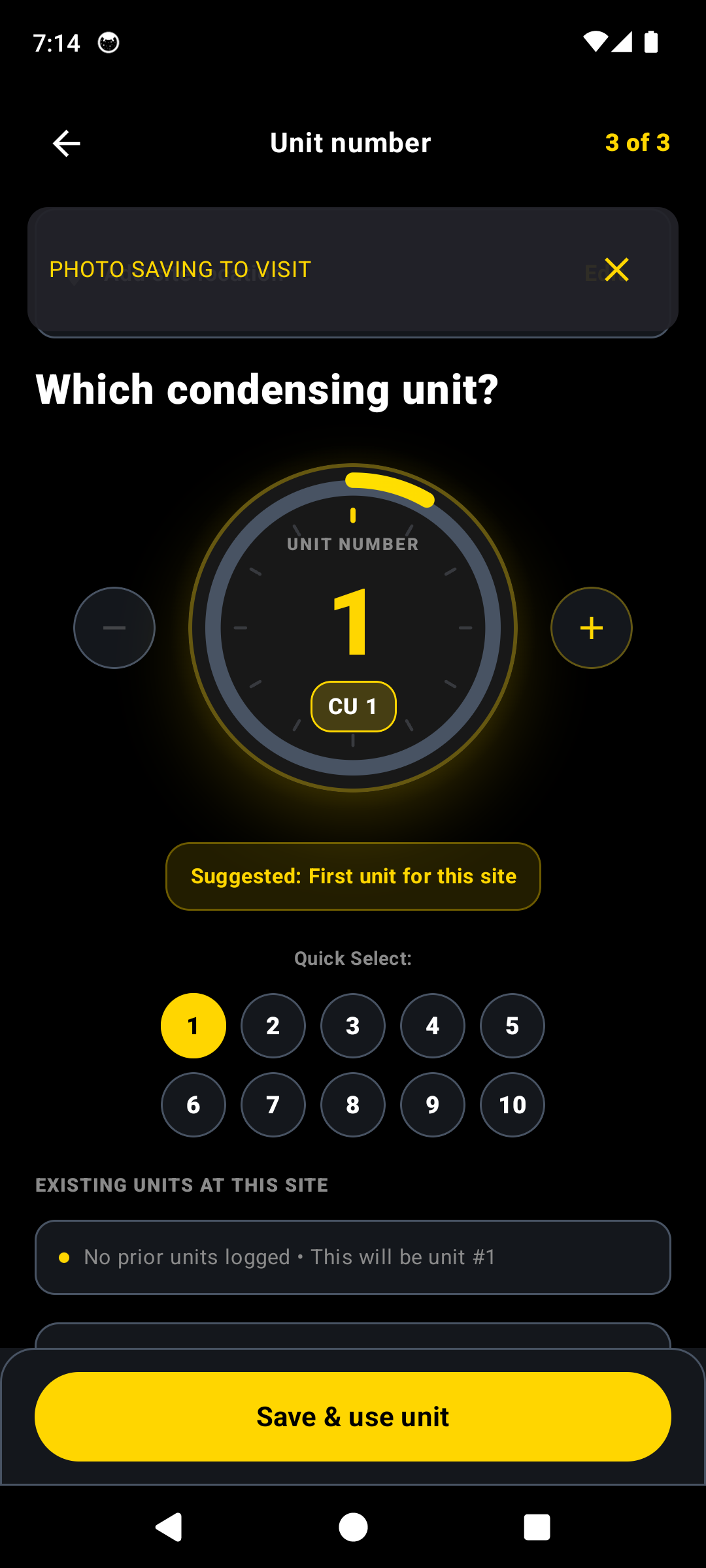
Step 4: Sequential Equipment Fleet Tagging (CU-1 / RTU-02)
Click to Zoom
Step 4: Sequential Equipment Fleet Tagging (CU-1 / RTU-02)IN-APP
Step 5: Verified Equipment Identity Saved & Bound to Diagnostic Session
Click to Zoom
Step 5: Verified Equipment Identity Saved & Bound to Diagnostic SessionIN-APP
Core Thermodynamic & Engineering Principle

Edge neural bounding tensor inference parsing high-frequency text vectors; regex normalization extracts Volts/Phase/Hz, Minimum Circuit Ampacity (MCA), and factory refrigerant mass in pounds/ounces.

Operational Procedure
1Perpendicular Optical Framing

Position the camera viewfinder perpendicular to the aluminum nameplate at a 20–30 cm focal distance, minimizing specular rooftop sun reflection.

PRO-TIPWipe off grease, dirt, or spiderwebs from the serial plate with a rag before scanning.
2Multi-Pass Extraction & Confidence Review

The neural pipeline parses text vectors into discrete tokens: Model String, Serial String, Refrigerant Classification (e.g., R-410A, R-22, R-454B), and Factory Charge (lbs/oz).

3Manual Correction Diff & Override Fallback

If physical corrosion causes OCR uncertainty, tap any field to manually adjust characters. HvAI compares candidate models against the internal AHRI directory.

4System Classification & Sequential Unit Tagging

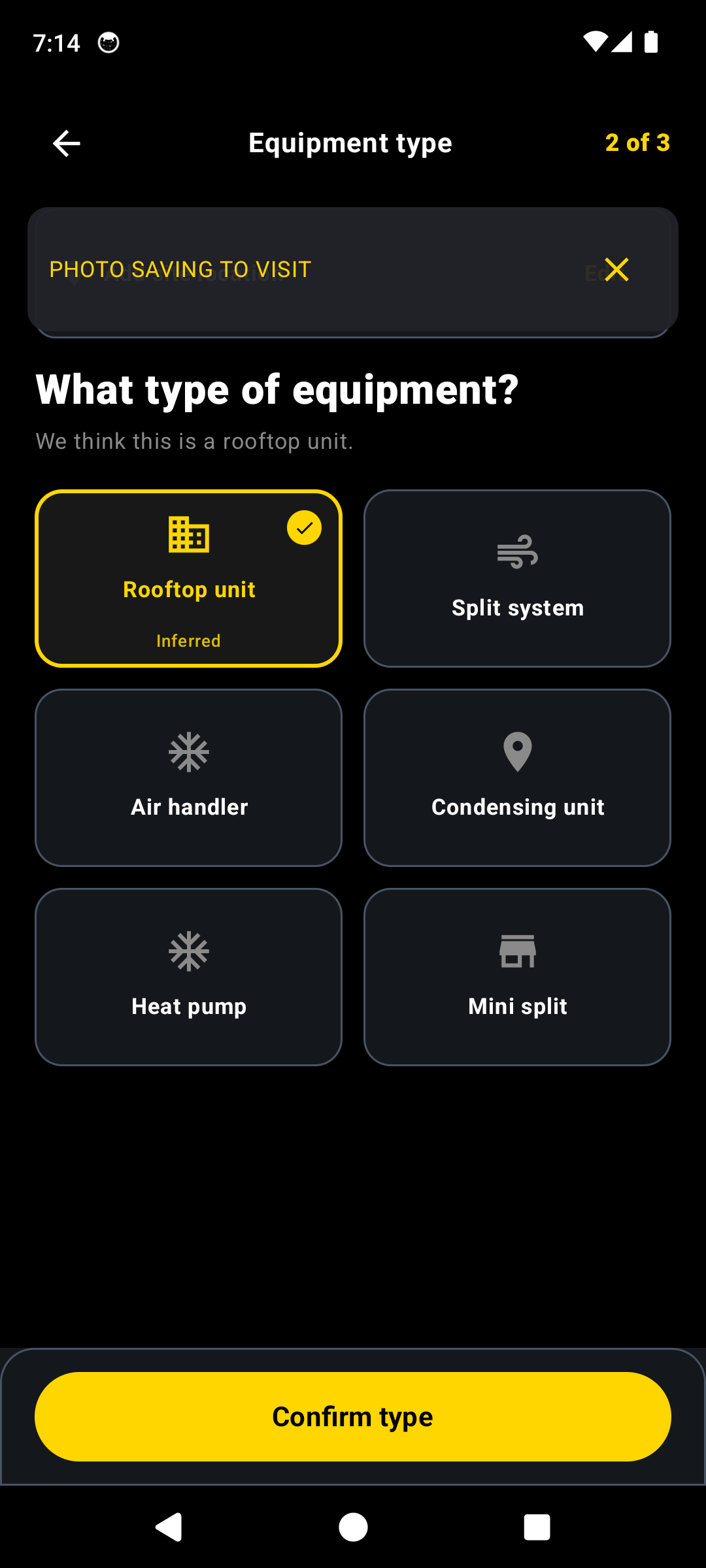
Select the equipment morphology (Packaged Rooftop Unit, Split Condensing Unit, Heat Pump, Mini-Split) and assign the sequential facility tag (e.g., "RTU-01").

Flow 04: Wireless DiagnosticsFLOW #4

How to Connect Fieldpiece Job Link Probes

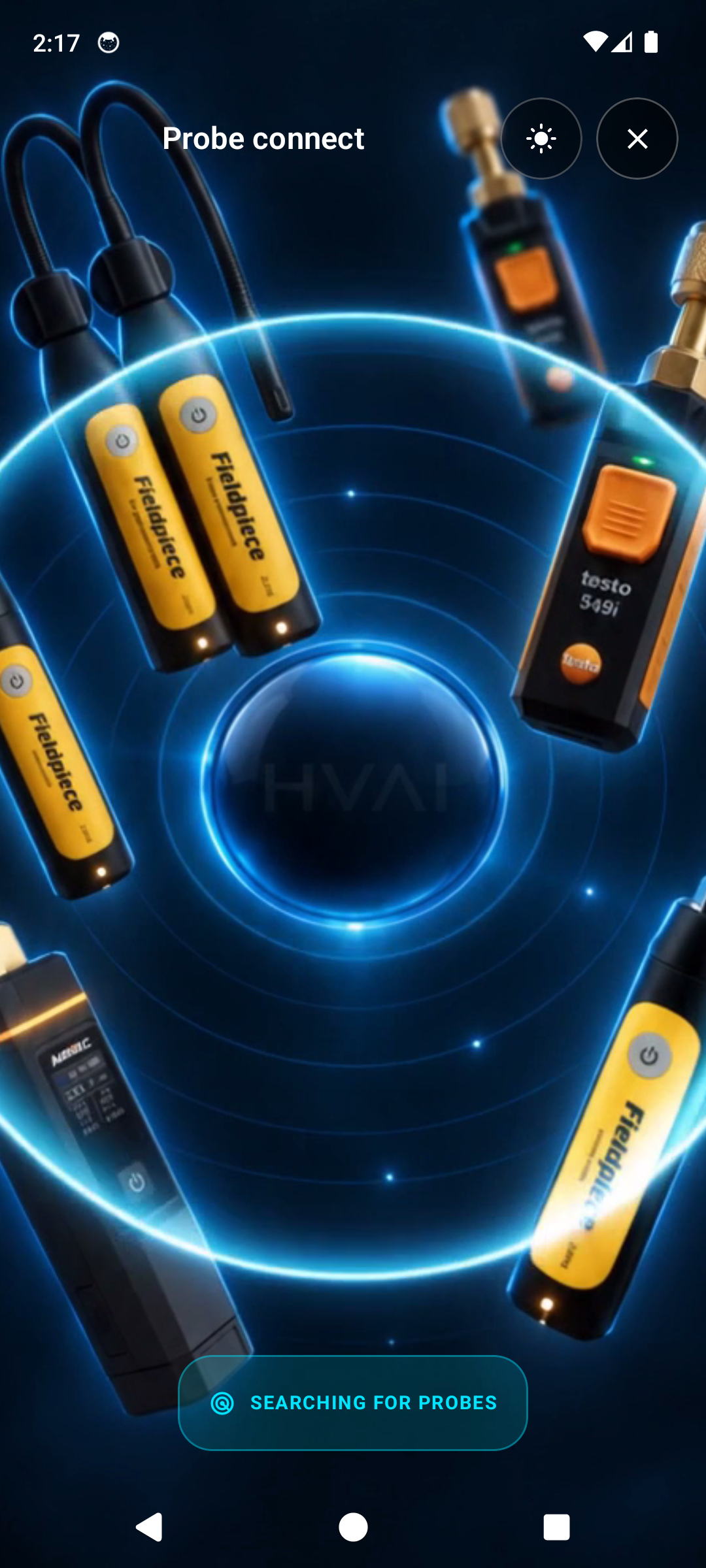
Direct 2.4 GHz Bluetooth Low Energy (BLE) pairing with Fieldpiece Job Link transducers (JL3PR, JL3PC, JL3RH), streaming high-precision pressure, temperature, and psychrometric telemetry.
Verified In-App Screenshots & UI Evidence
Live 3D Radial Probe Connect Orb in Obsidian Dark
Click to Zoom
Live 3D Radial Probe Connect Orb in Obsidian DarkIN-APP
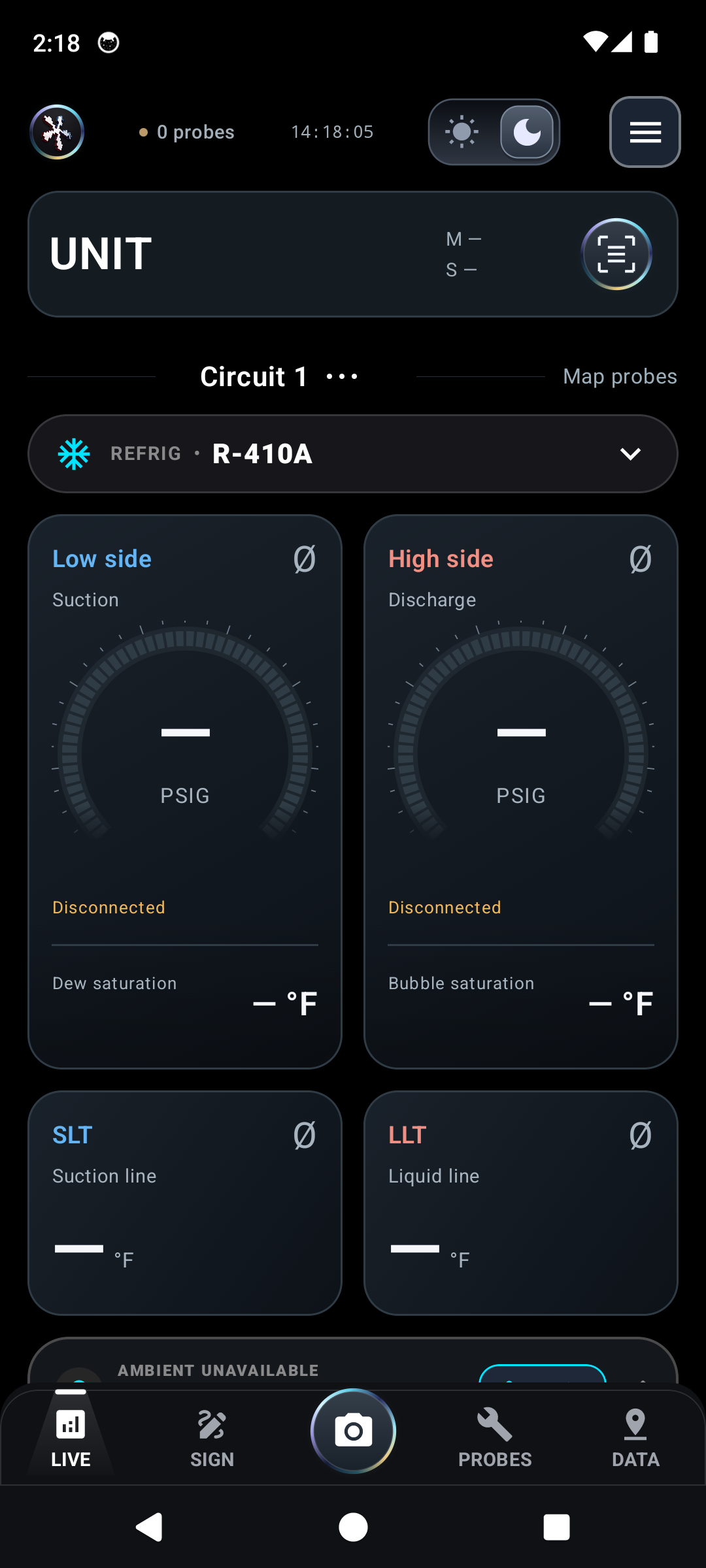
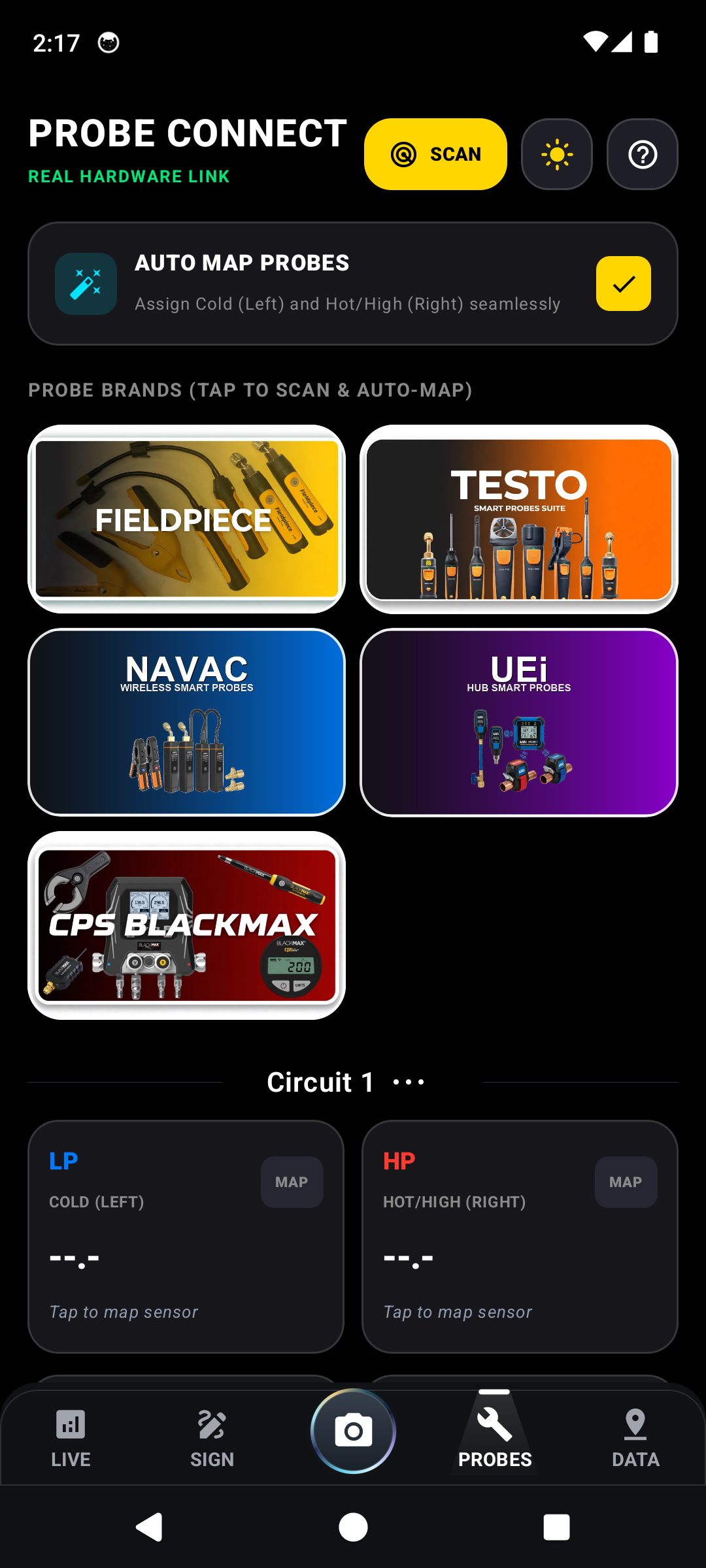
Live Circuit Slot Mapping Hub: Suction & Liquid Ports
Click to Zoom
Live Circuit Slot Mapping Hub: Suction & Liquid PortsIN-APP
Dual-Circuit Telemetry Highway: Real-Time NIST P-T Saturation
Click to Zoom
Dual-Circuit Telemetry Highway: Real-Time NIST P-T SaturationIN-APP
Supported Wireless Hardware & Probe Transducers
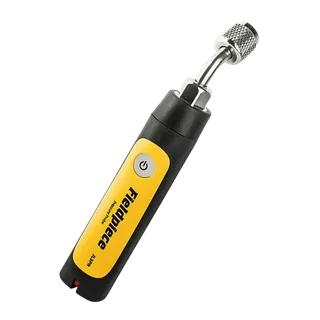
JL3PR Pressure Probe
0–580 psig, ±1 psig accuracy
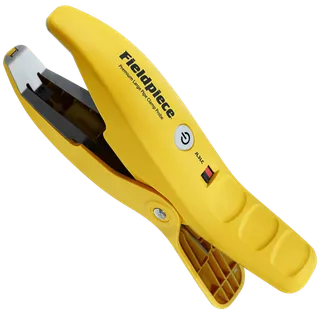
JL3PC Pipe Clamp
JL3PC Pipe Clamp
-50°F to 257°F, 1/4" to 4-1/8" OD
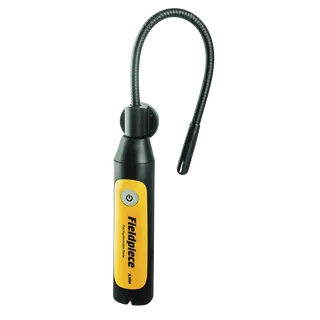
JL3RH Psychrometer
JL3RH Psychrometer
Wet Bulb, Dry Bulb, Dew Point, Enthalpy
Core Thermodynamic & Engineering Principle

Dynamic thermodynamic calculation: Suction Superheat: $SH = T_{suction\_line} - T_{evap\_sat}(P_{suction})$. Liquid Subcooling: $SC = T_{cond\_sat}(P_{liquid}) - T_{liquid\_line}$. P-T conversions computed via NIST REFPROP refrigerant saturation polynomials.

Operational Procedure
1Powering On Job Link Transceivers

Depress the power switch on each JL3PR pressure probe and JL3PC pipe clamp until the status LED flashes blue, indicating active BLE 2.4 GHz advertising mode.

2Automated Discovery & Circuit Slot Assignment

Navigate to "PROBES" in HvAI. The BLE engine scans GATT advertisement packets and maps unique MAC addresses to Low-Side (Suction) and High-Side (Liquid) circuit slots.

3Physical Transducer & Thermistor Clamp Installation

Mount the blue JL3PR to the low-side suction service valve port; mount the red JL3PR to the high-side liquid service valve. Secure the JL3PC clamps on cleaned bare copper.

PRO-TIPScrape off surface oxidation on copper tubing before clamping to ensure accurate thermal conduction.
4Real-Time Psychrometric & Thermodynamic Analysis

Inspect live Evaporator Saturation Temperature ($T_{sat}$), Condensing Temperature ($T_{cond}$), Superheat ($SH$), Subcooling ($SC$), and Airflow Delta-T ($Delta T$).

Flow 05: Universal HardwareFLOW #5

How to Connect Other Probes (Testo, UEi, Sporlan, Yellow Jacket)

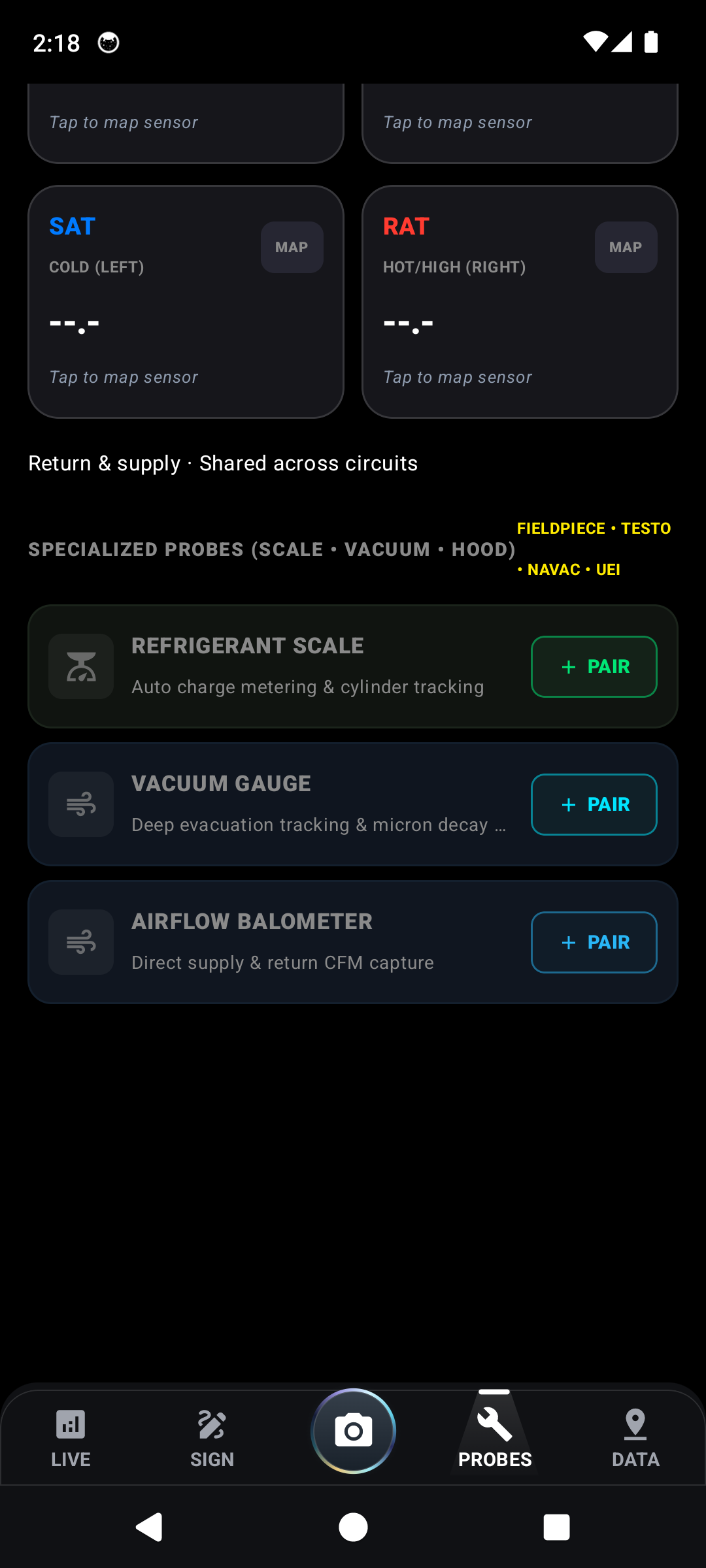
Universal multi-vendor BLE ingestion pipeline supporting Testo Smart Probes (549i/115i/605i), UEi HUB series, Parker Sporlan SMART, and Yellow Jacket YJACK sensors.
Verified In-App Screenshots & UI Evidence
Universal Auto-Discovery Grid: Fieldpiece, Testo, NAVAC, JB, Yellow Jacket
Click to Zoom
Universal Auto-Discovery Grid: Fieldpiece, Testo, NAVAC, JB, Yellow JacketIN-APP
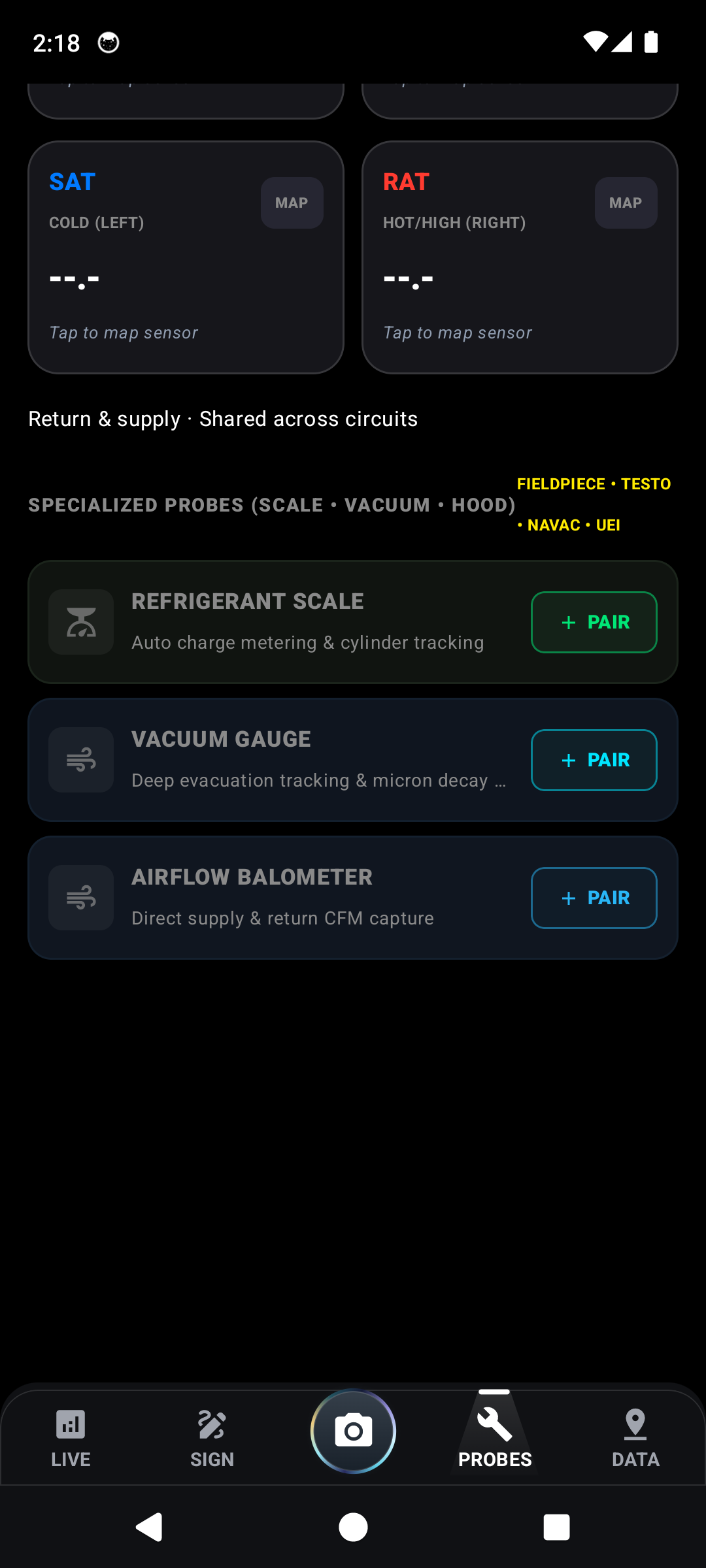
Specialized Hardware Support: Wireless Scales, Microns & Airflow Hood
Click to Zoom
Specialized Hardware Support: Wireless Scales, Microns & Airflow HoodIN-APP
Dynamic Suction/Liquid Digital Role Reversal & Multi-Circuit Configuration
Click to Zoom
Dynamic Suction/Liquid Digital Role Reversal & Multi-Circuit ConfigurationIN-APP
Supported Wireless Hardware & Probe Transducers
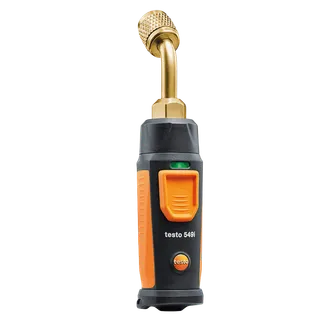
Testo 549i Pressure Probe
-14 to 870 psi wireless transducer
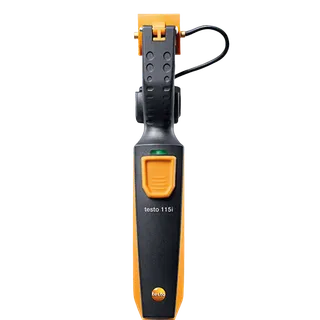
Testo 115i Clamp Meter
Fast response NTC thermistor sensor
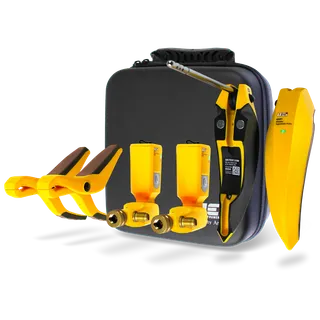
UEi HUB6 Wireless Kit
Multi-refrigerant dual pressure & temp
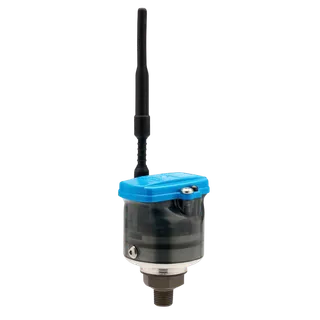
Sporlan SMART Sensor
Precision industrial transducer
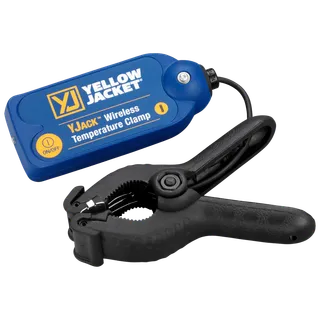
Yellow Jacket YJACK
Yellow Jacket YJACK
Extended Bluetooth range up to 400ft
Core Thermodynamic & Engineering Principle

Manufacturer-agnostic GATT decoder translating proprietary binary payloads into standardized IEEE-754 floating-point pressure (psig) and temperature (°F) telemetry vectors.

Operational Procedure
1Multi-Brand Hardware Initialization

Power on your Testo Smart Probes (long press until amber flashes green) or UEi HUB modules. Verify battery voltage is above 2.4V to prevent RF packet dropouts.

2Scanning & Device Identification

Tap "Scan Probes". The engine scans broadcast advertisements across BLE channels 37, 38, and 39, indexing device UUIDs and RSSI signal strengths in decibels.

3One-Tap Side Swapping & Dual-Circuit Configuration

If clamps were mounted in reverse, tap the "SWAP SIDES" button to digitally flip Suction and Liquid roles without physically releasing refrigerant from valve cores.

PRO-TIPFor 2-stage or dual-compressor RTUs, swipe to "Circuit 2" to assign a second pair of gauges.
4Atmospheric Zeroing & Refrigerant Blend Selection

Ensure pressure probes are zeroed to ambient atmospheric pressure ($14.696\text{ psia}$ at sea level) prior to valve depression. Select correct glide profile for zeotropic blends.

Flow 06: Client Sign-OffFLOW #6

How to Generate Signed Invoices & Field Packets

Comprehensive service closeout pipeline synthesizing thermodynamic findings, photographic evidence, and high-resolution biometric signature capture into an immutable, certified PDF/A field packet.
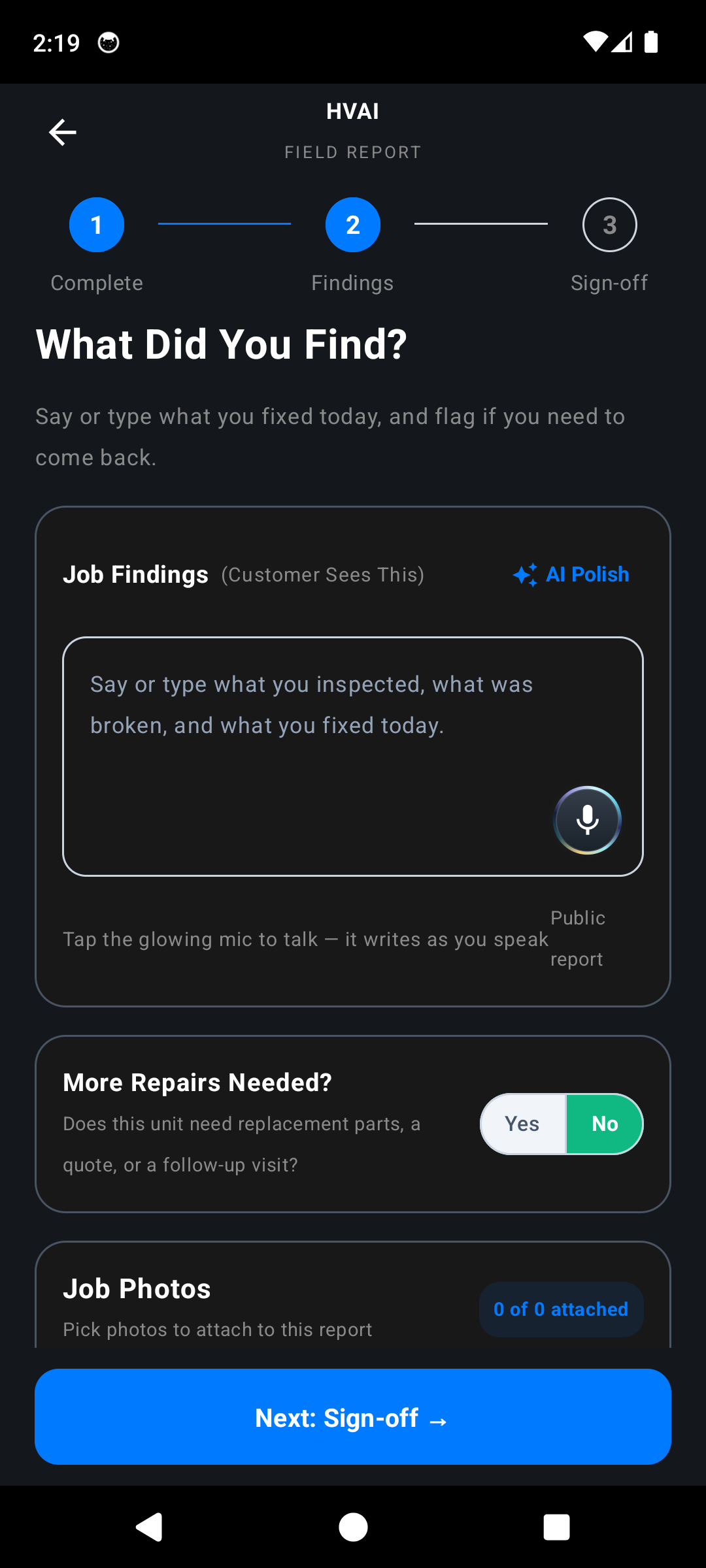
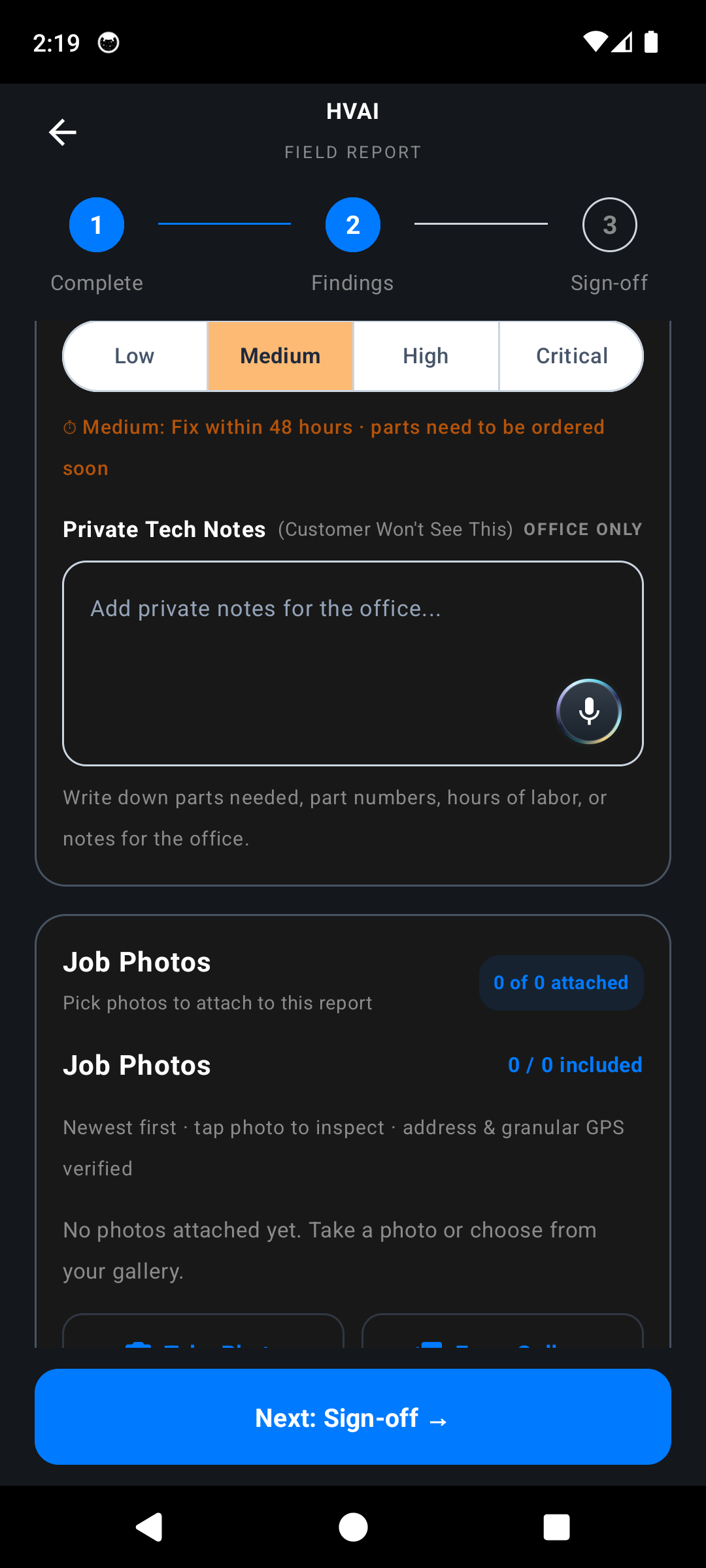
Verified In-App Screenshots & UI Evidence
Step 1: Check Store & Equipment Confirmation with Glowing Mic
Click to Zoom
Step 1: Check Store & Equipment Confirmation with Glowing MicIN-APP
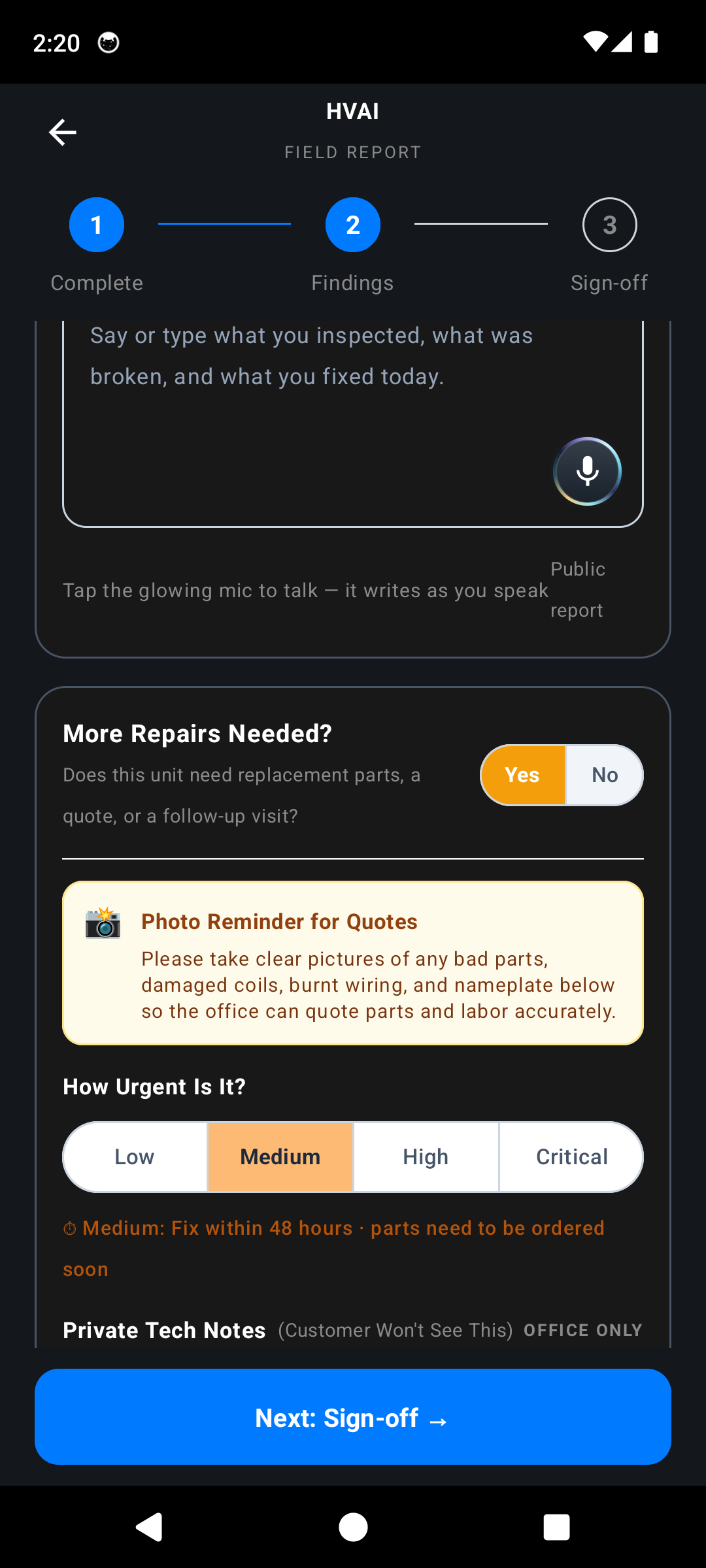
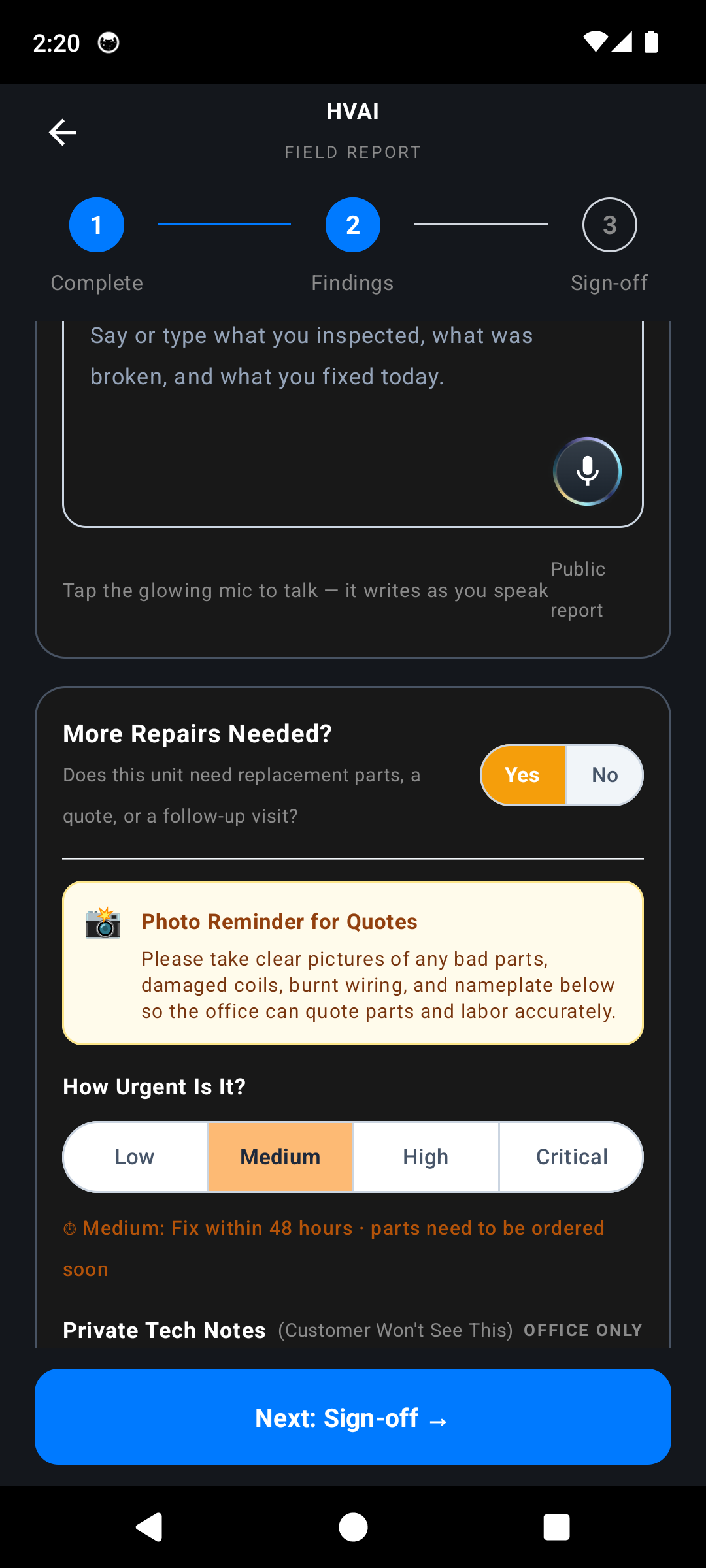
Step 2: Repairs Needed Switch, Urgency Segments & Private Notes
Click to Zoom
Step 2: Repairs Needed Switch, Urgency Segments & Private NotesIN-APP
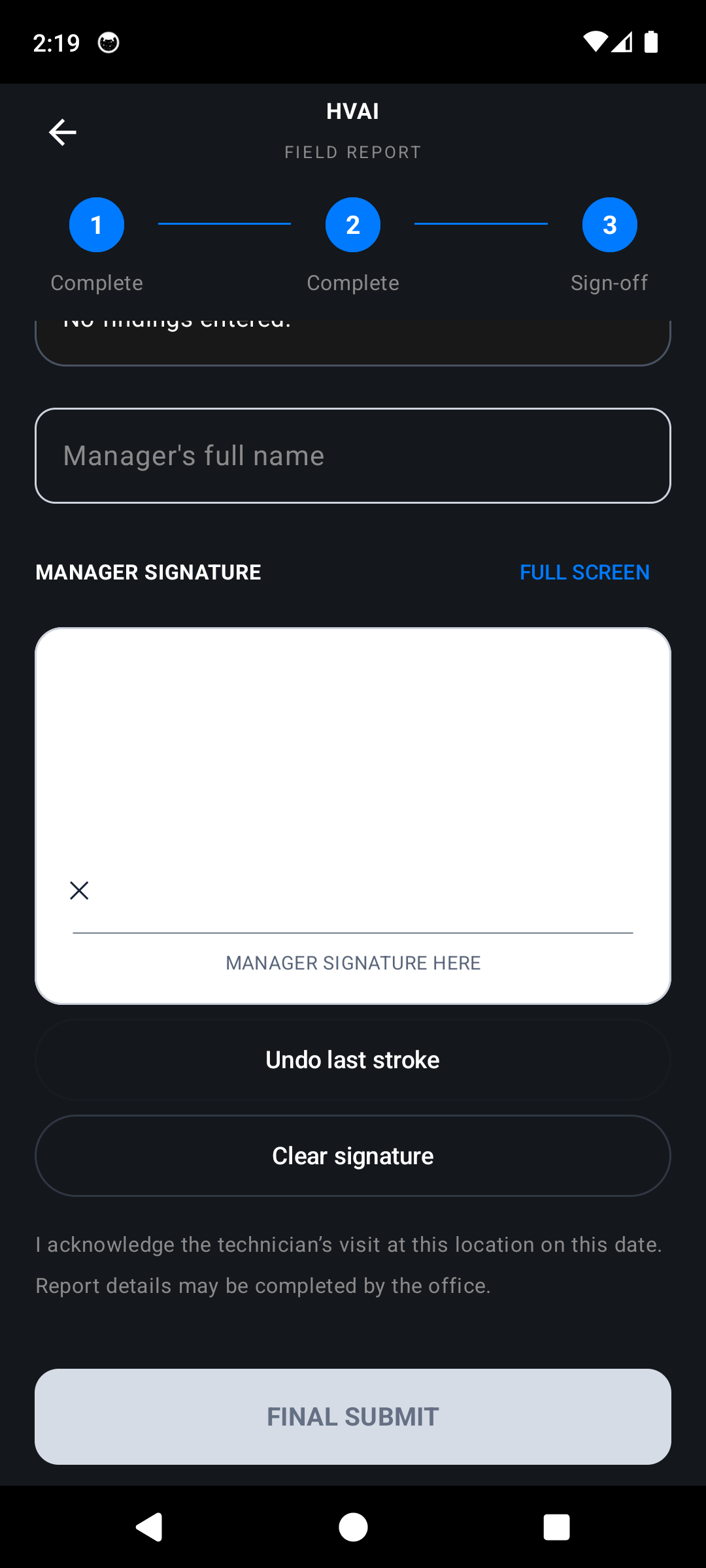
Step 3: Manager Sign-off & Digital Signature Pad
Click to Zoom
Step 3: Manager Sign-off & Digital Signature PadIN-APP
Step 4: Certified Signed Closeout with Manager Name & Timestamp
Click to Zoom
Step 4: Certified Signed Closeout with Manager Name & TimestampIN-APP
Step 5: Fullscreen Full-Bleed Capacitive Digital Signing Canvas
Click to Zoom
Step 5: Fullscreen Full-Bleed Capacitive Digital Signing CanvasIN-APP
Core Thermodynamic & Engineering Principle

Biometric stroke capture interpolating cubic Bézier curves at 60 Hz; serializes findings into a deterministic JSON ledger sealed with SHA-256 integrity hashing and timestamped RFC 3161 evidence.

Operational Procedure
1Diagnostic Findings Consolidation

Review aggregated findings across all inspected units (e.g., RTU-1: Subcooling restored to 11.2°F, dual capacitor replaced 45/5 µF, blower belt tensioned).

2Evidence Curation & Local Privacy Selection

Toggle photos to include in the client report. Select "Keep Local" if sensitive customer facilities restrict cloud AI processing, ensuring all data remains on-device.

3Landscape High-Resolution Signature Capture

Rotate device to horizontal landscape mode. The full-bleed capacitive canvas captures stylus or finger vector coordinates, velocity, and stroke pressure.

PRO-TIPMade a mistake on the signature? Tap "Undo Last Stroke" rather than wiping the whole signature clean.
4Tamper-Evident Finalization & Immediate PDF Dispatch

Tap "Submit & Sign". The system compiles a certified PDF/A document, transmits a real-time event to the office dispatch portal, and queues a client copy via email.

Flow 07: Dispatcher CommandFLOW #7

How to Use the Desktop App & Office Portal

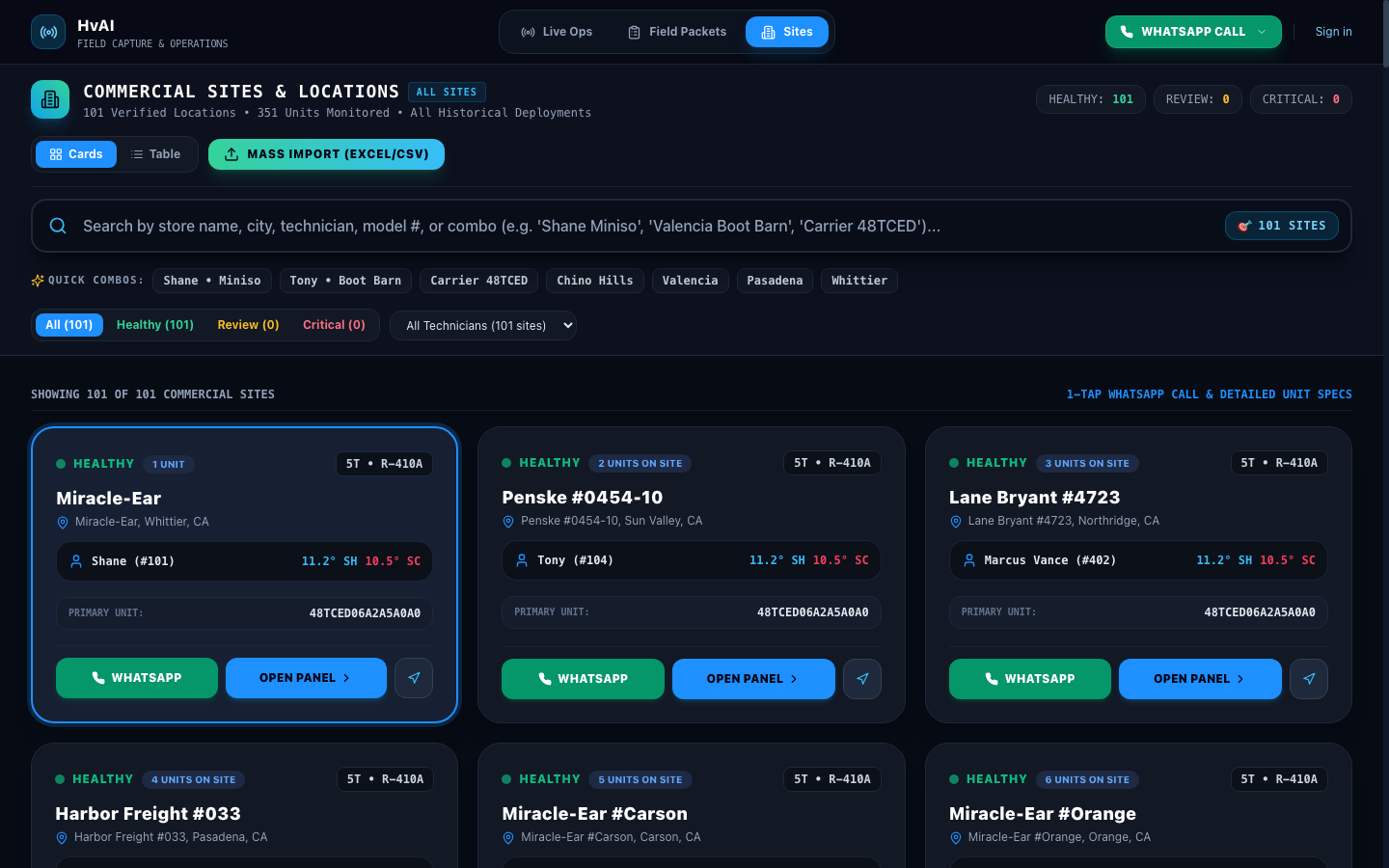
Cloudflare Workers-powered enterprise dispatch operations console (`https://login.hvai.tech`) providing real-time WebSocket telemetry, interactive fleet maps, and PDF report repositories.
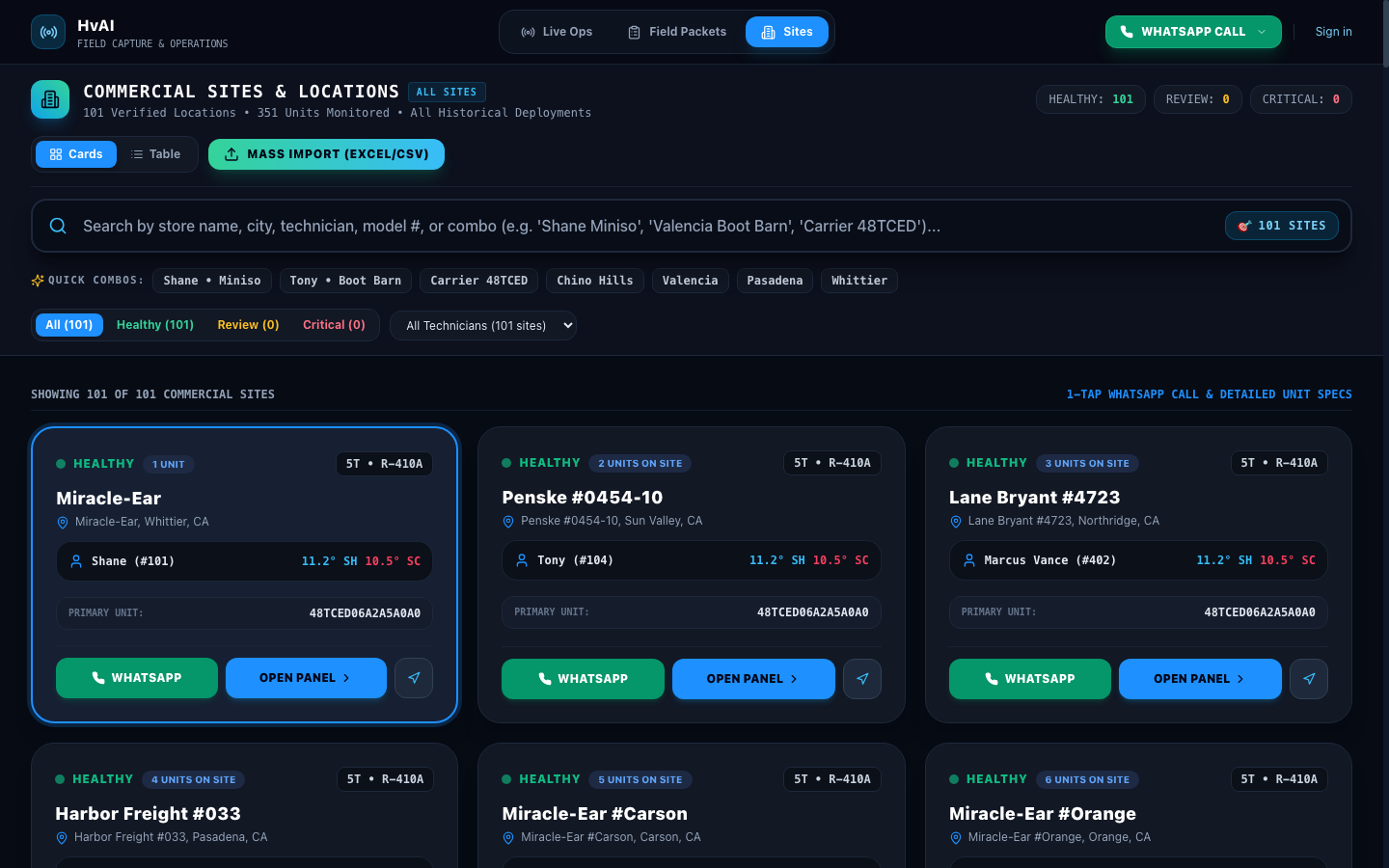
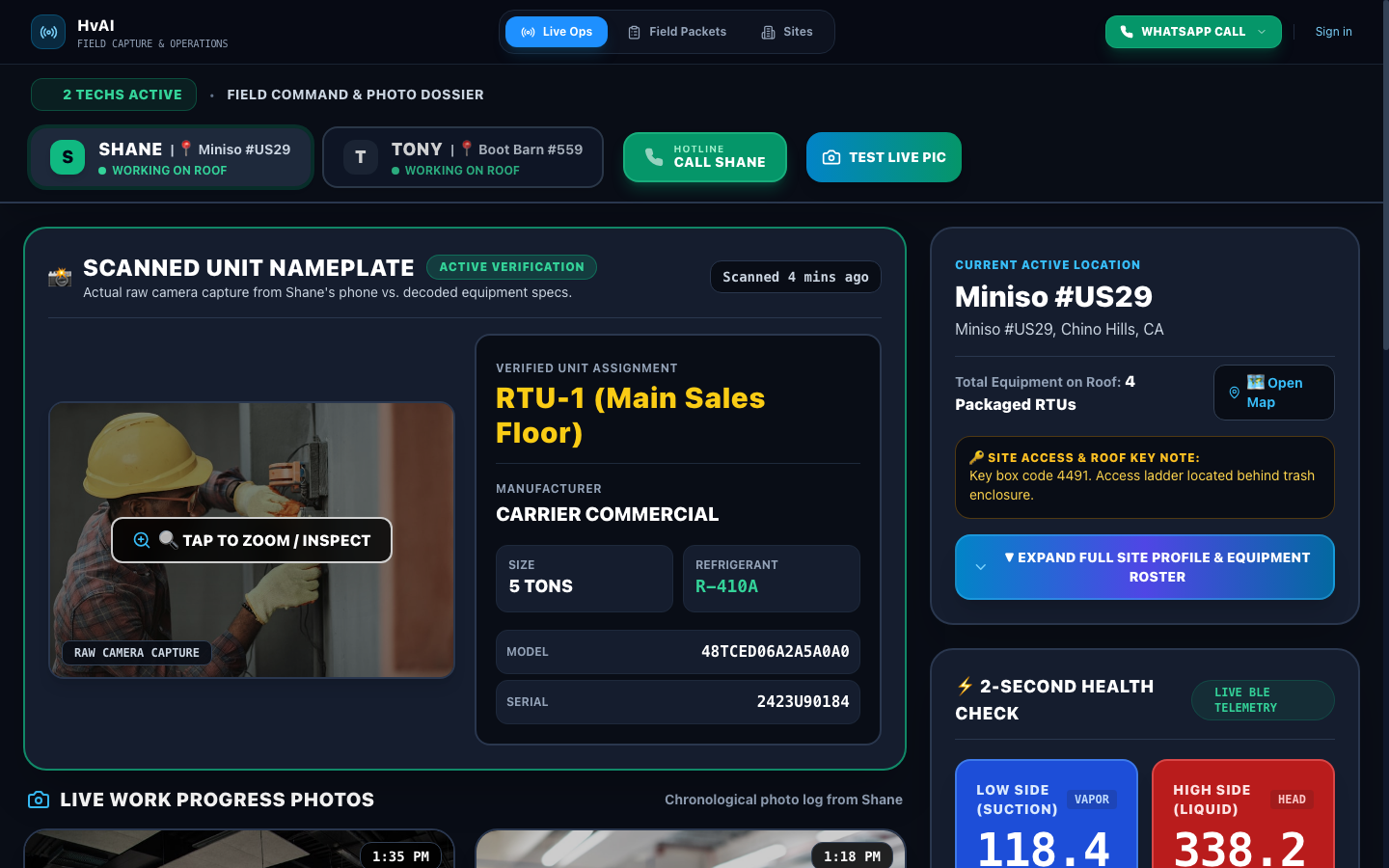
Verified In-App Screenshots & UI Evidence
Office Fleet Directory & Real-Time Rooftop Asset Ledger
Click to Zoom
Office Fleet Directory & Real-Time Rooftop Asset LedgerIN-APP
Live Ops Supervisor Radar: Real-Time Fleet Diagnostics & Gauges
Click to Zoom
Live Ops Supervisor Radar: Real-Time Fleet Diagnostics & GaugesIN-APP
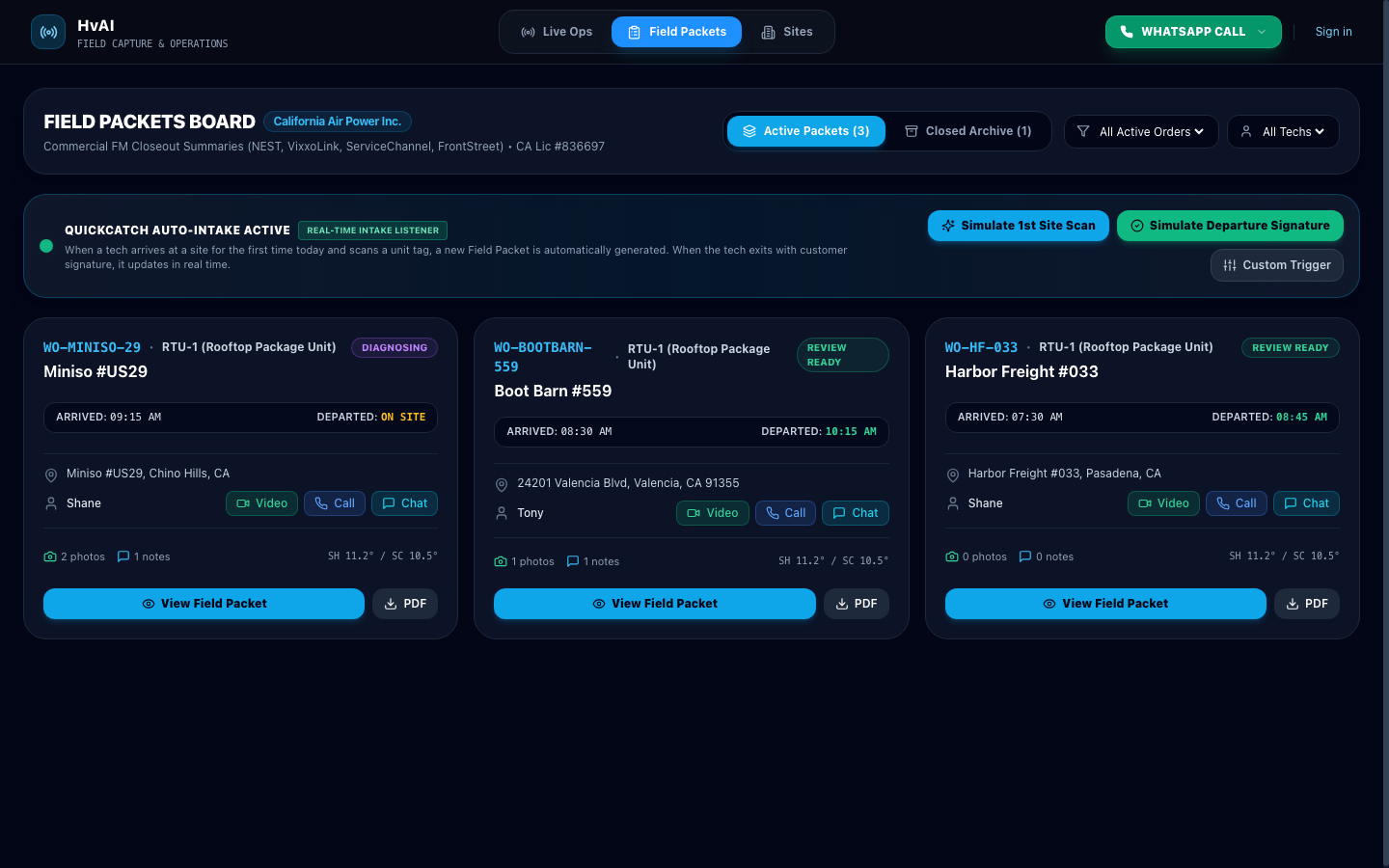
Certified PDF/A Service Field Packets & Inbound Ledger Audit
Click to Zoom
Certified PDF/A Service Field Packets & Inbound Ledger AuditIN-APP
Geospatial Fleet Map & Real-Time Technician Vehicle Tracking
Click to Zoom
Geospatial Fleet Map & Real-Time Technician Vehicle TrackingIN-APP
Core Thermodynamic & Engineering Principle

Bidirectional WebSocket state synchronization over TLS with sub-200ms latency; utilizes Leaflet geospatial clustering to render fleet coordinates, battery health, and real-time P-T telemetry.

Operational Procedure
1Portal Access & Role-Based Session Initiation

Navigate to `https://login.hvai.tech` in Chromium, Safari, or Firefox. Log in with your corporate enterprise credentials or administrator invitation.

2Live Ops Supervisor Telemetry Radar

Open `/supervisor`. The interface displays active field technicians, current rooftop equipment under diagnostic evaluation, and streaming live Superheat/Subcooling gauges.

3Field Packets & Historical Ledger Auditing

Open `/dispatch` to audit inbound signed field packets, verify customer timestamps, inspect high-resolution equipment photos, and download certified PDFs.

4Facility Asset Registry & Equipment Search

Query past work orders by Model Number, Serial Number, or Property Address to view chronological service history, past refrigerant charges, and compressor replacements.

Flow 08: Field MentorshipFLOW #8

How to Support Your Techs (Supervisor Hotline)

Integrated field supervisory escalation suite featuring deep-linked WhatsApp voice/video hotlines, remote telemetry diagnostics, and real-time nameplate verification overrides.
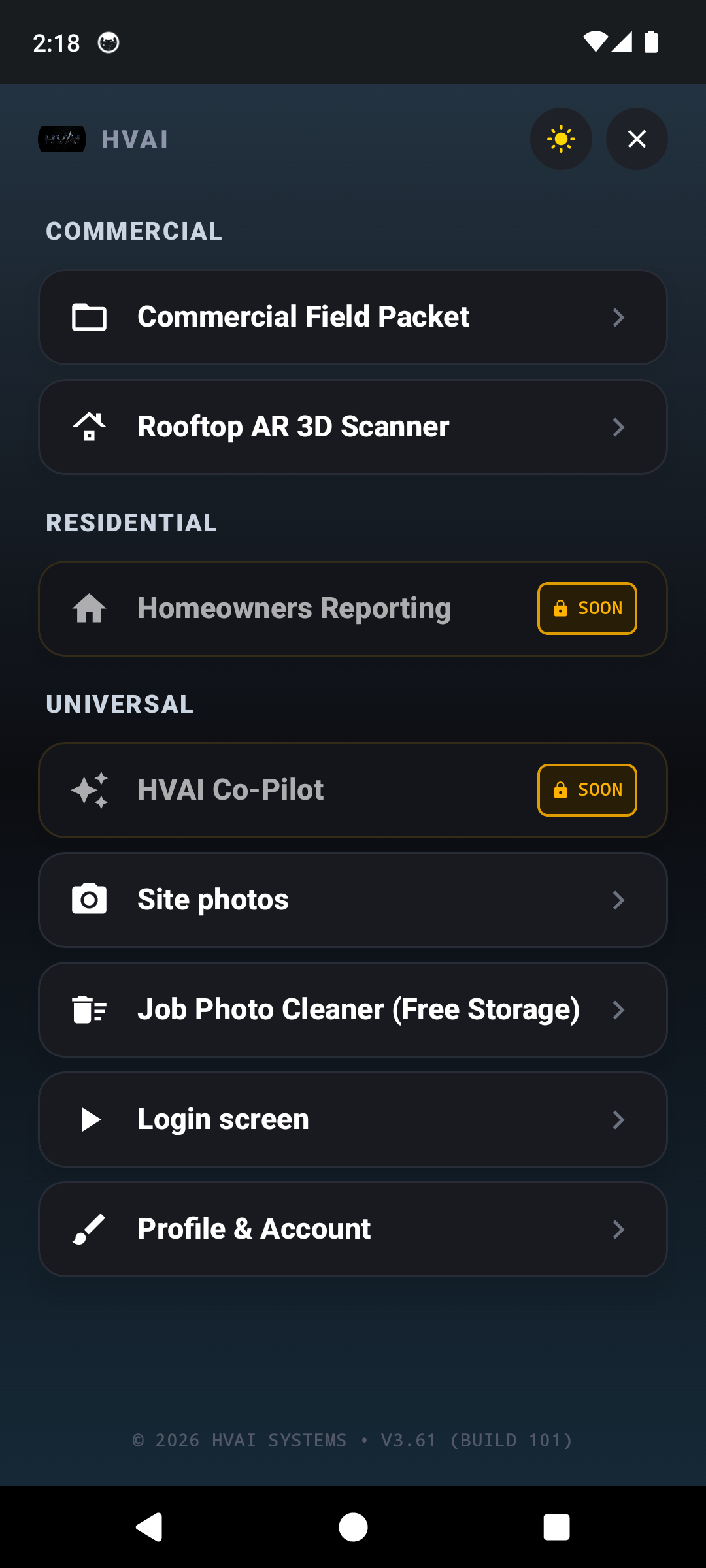
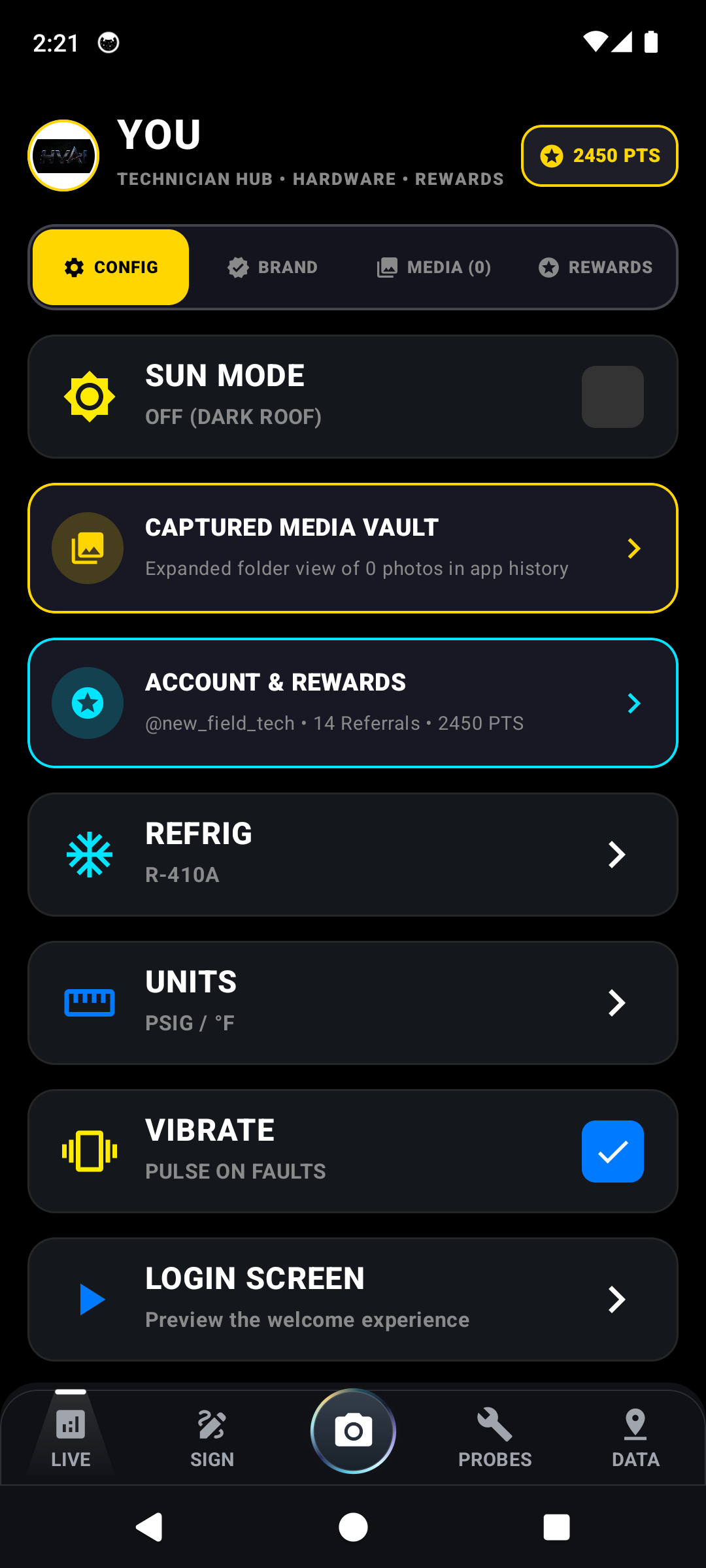
Verified In-App Screenshots & UI Evidence
Global System Drawer Menu & Direct Support Hotline Access
Click to Zoom
Global System Drawer Menu & Direct Support Hotline AccessIN-APP
Simultaneous Live Ops Telemetry Review & Remote Gauge Mentoring
Click to Zoom
Simultaneous Live Ops Telemetry Review & Remote Gauge MentoringIN-APP
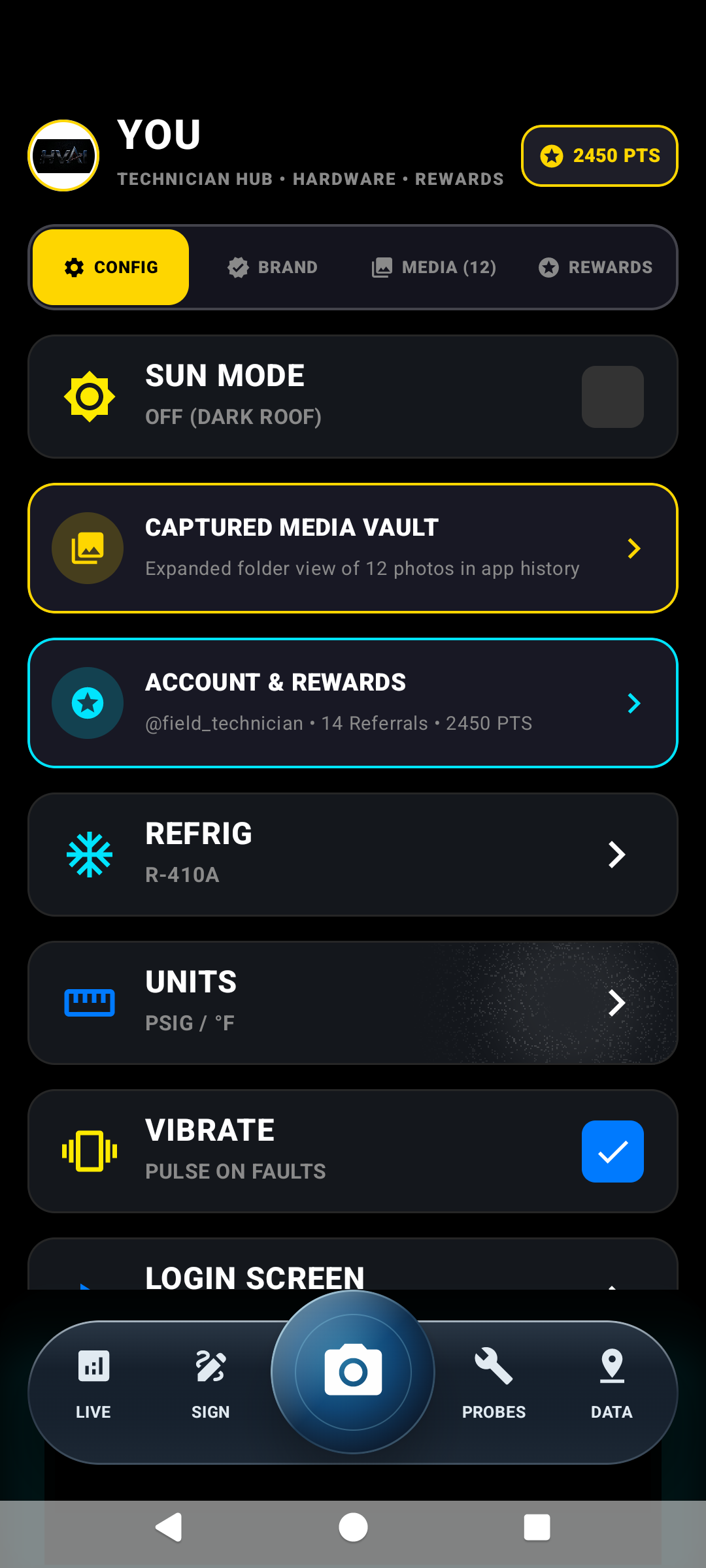
Technician Profile, Certifications & Fleet Operational Roster
Click to Zoom
Technician Profile, Certifications & Fleet Operational RosterIN-APP
Core Thermodynamic & Engineering Principle

Real-time supervisory triage evaluating thermodynamic variance: detecting non-condensibles (elevated high-side pressure with normal subcooling), TXV hunting, or liquid floodback remotely.

Operational Procedure
1Live Technician State Monitoring

In the Office Navigation bar, inspect technician status badges (e.g., Shane #101: Diagnostics Active on RTU-2; Tony #104: In Transit).

2One-Click Direct WhatsApp VoIP Call

Click the green "WHATSAPP CALL" button in the navigation bar to immediately ring the technician via end-to-end encrypted VoIP audio or video.

PRO-TIPUse Video Call so the technician can point their camera at weird flame colors or strange compressor knocking sounds.
3Remote Supervisory Telemetry Review

Observe live subcooling and superheat trends simultaneously with the technician to diagnose thermal expansion valve (TXV) bulb detachment or restricted filter-driers.

4Remote Nameplate Correction Override

If severe corrosion obscures the physical nameplate, the office supervisor can verify unit specs in the manufacturer portal and inject confirmed values into the tech’s active session.

Flow 09: Rooftop VisibilityFLOW #9

How to Use Rooftop Sunlight Mode

Photopic adaptation engine switching UI to high-reflectance pure white canvas with 21:1 contrast ratio black typography, overcoming 100,000 lux ambient solar rooftop glare.
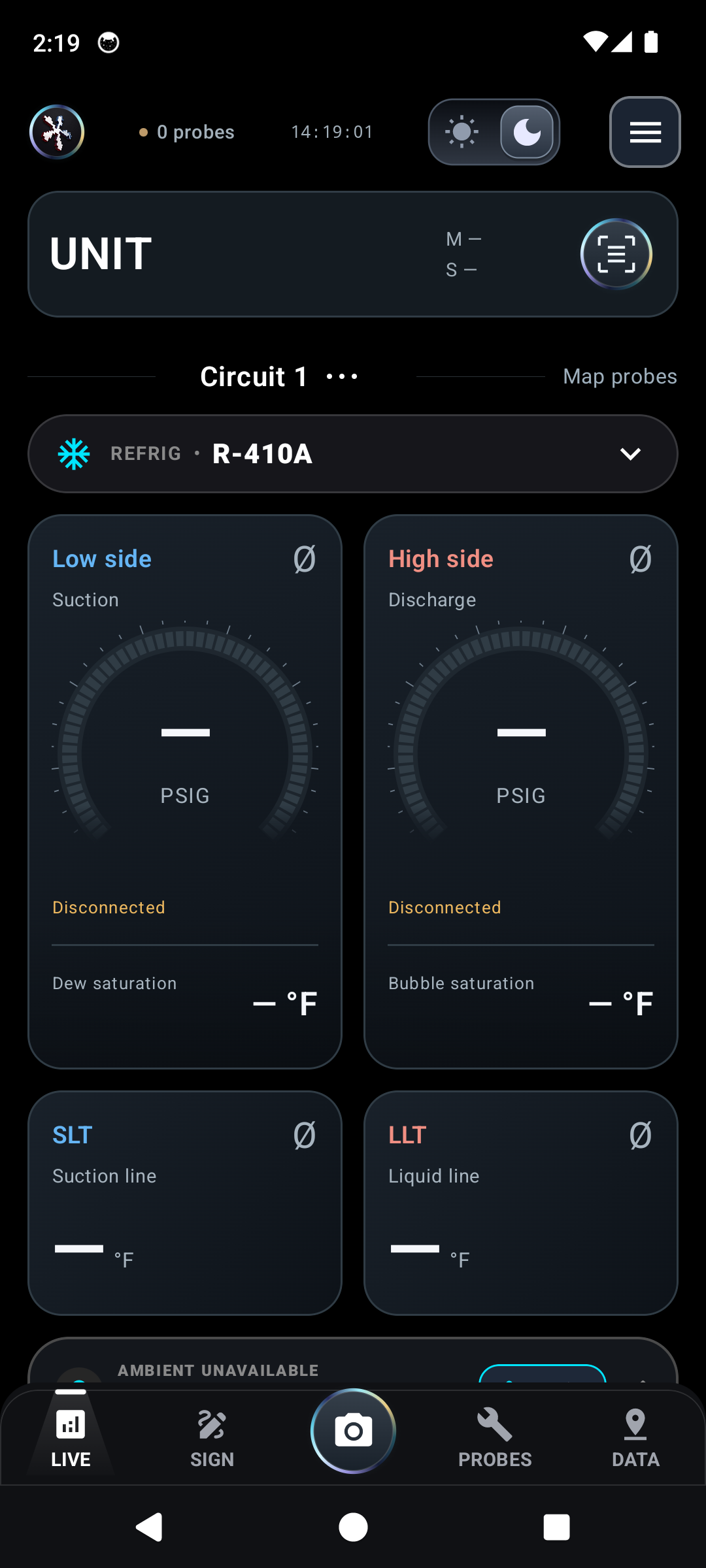
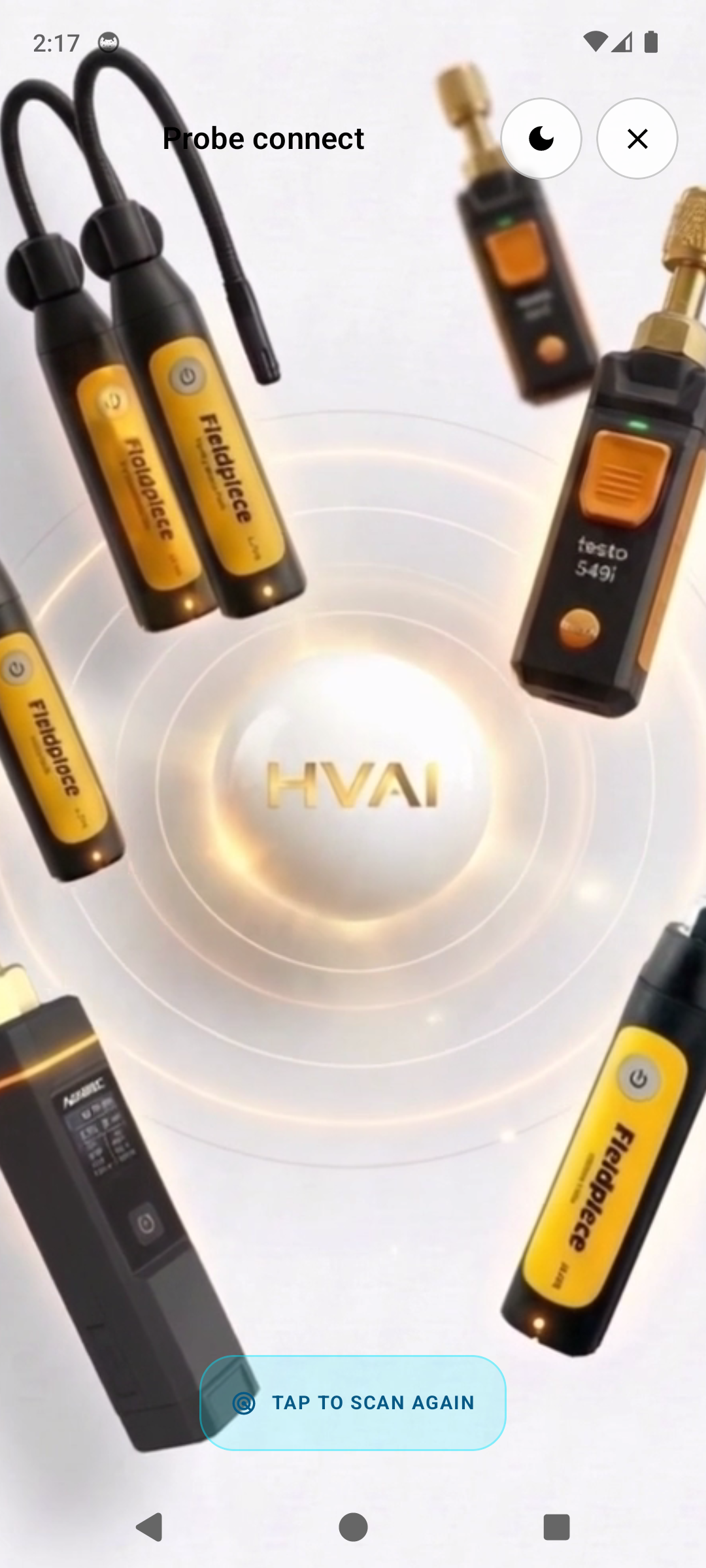
Verified In-App Screenshots & UI Evidence
High-Contrast Daylight Mode: 21:1 Photopic Contrast for 100,000 Lux Glare
Click to Zoom
High-Contrast Daylight Mode: 21:1 Photopic Contrast for 100,000 Lux GlareIN-APP
3D Probe Connect Orb in High-Visibility Rooftop Sun Mode
Click to Zoom
3D Probe Connect Orb in High-Visibility Rooftop Sun ModeIN-APP
Comparison: Deep Slate Obsidian Dark Mode for Attic Work
Click to Zoom
Comparison: Deep Slate Obsidian Dark Mode for Attic WorkIN-APP
Core Thermodynamic & Engineering Principle

Maximizes photopic visual luminance while maintaining strict WCAG AAA contrast guidelines under direct solar ultraviolet and ambient specular glare on reflective TPO membranes.

Operational Procedure
1Accessing Display Preference Sheet

Swipe open the navigation drawer or tap the profile avatar in the upper right corner to expose the display configuration panel.

2Toggling Sunlight (High Contrast) Mode

Toggle "Sun Mode". The theme immediately inverts background surfaces from deep slate (#090D16) to pure reflective white (#FFFFFF), updating Android system bar icons for high visibility.

3Automatic Dark Mode Reversion for Mechanical Rooms

When moving from rooftop condenser units into dark residential attics or commercial mechanical rooms, toggle back to Dark Mode to conserve OLED battery power.

FIELD FAQ & TROUBLESHOOTING

Frequently Asked Questions

Real-world answers to Bluetooth dropouts, sun glare, rusted nameplates, and customer signature handoffs.

HvAI utilizes an internal resilient telemetry cache. Disconnecting from 2.4 GHz GATT transceivers triggers an automatic exponential backoff reconnection protocol. No historical data points are lost; the client retains all prior readings and seamlessly resumes streaming once RSSI rises above -90 dBm.

Category:Hardware & Bluetooth
Was this helpful?

When physical oxidation degrades optical character recognition confidence scores below 75%, HvAI highlights candidate fields in amber. Tap any field to manually input visible characters. Typing partial model prefixes queries the embedded AHRI compressor catalog to auto-populate MCA, MOPD, and factory charge.

Category:Nameplate & OCR
Was this helpful?
24/7 ACTIVE ROOFTOP TECHNICIAN HOTLINE

Stuck on a roof or facing strange readings?

Dispatchers and senior supervisors can immediately initiate a direct encrypted WhatsApp video call to diagnose difficult thermal expansion valves, electrical shorts, or compressor failures.